How to Add a New Account within ezW2 Software
ezW2 software can support unlimited company accounts. Here are the two options to add a new company account quickly.
Option 1: Add a new company
1.1 You can start ezW2 software, click the top menu "Company Management", then click the sub menu "Add company" to add a new account.
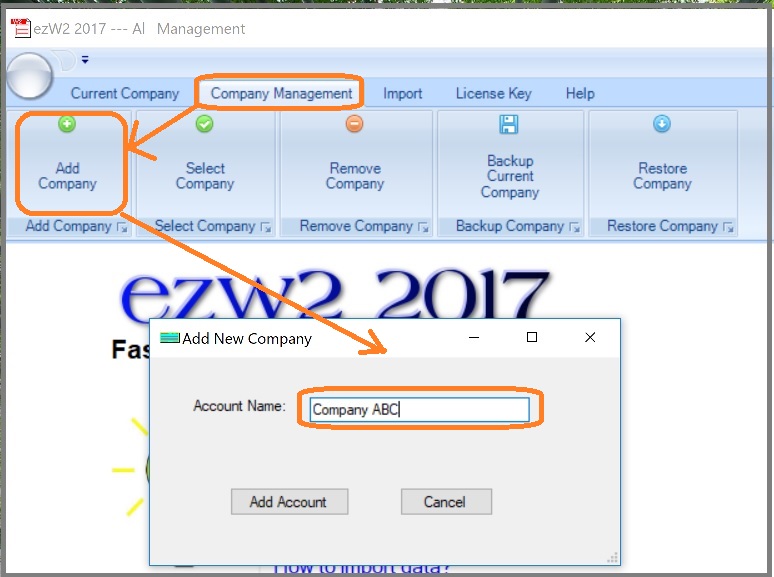
1.2 Follow the
Quick Start Guide to set up company and file forms.
Option 2: Add a new account by duplicating the current accounts
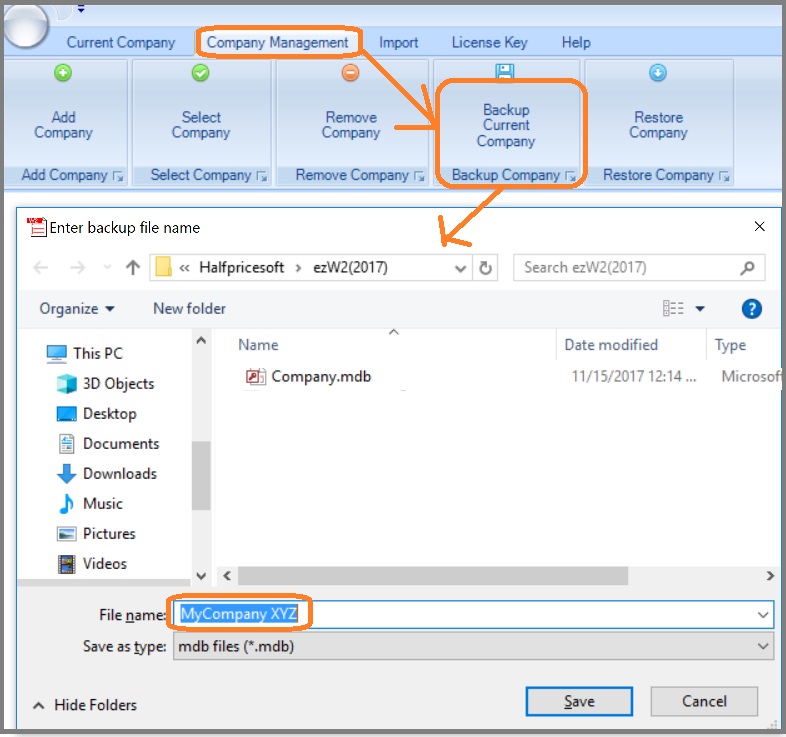
2.1 You can start ezW2 software, click the top menu "Company Management", then click the sub menu "Backup current company" to duplicate the current account.
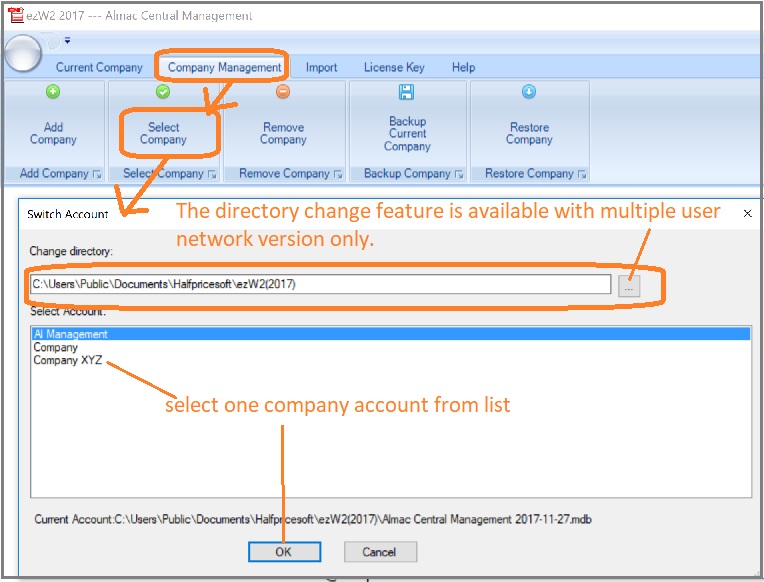
2.2 Switch the current company account to view/edit data by click the top menu "Company Management->Select Company".
Related Links
ezW2: W2, W3
ezW2: 1099-Nec, 1096
ezW2Correction: W2C, W3C
More Forms
- Learn more about 1099s software (1099A, 1099B, 1099C, 1099CAP, 1099DA, 1099DIV, 1099G, 1099H, 1099INT, 1099LTC, 1099MISC, 1099-nec, 1099OID, 1099PATR, 1099Q, 1099R, 1099S, 1099SA)
- Learn more about 1098s software (1098, 1098C, 1098E, 1098 T) software
- Learn more about 5498s(5498, 5498ESA, 5498SA) software
- Learn more about W2G, 1097BTC, 8935, 3921, 3922 software
- Learn more about how to file ACA Form 1095 & 1094 to federal and states
Videos
 How to File and Print W2 FormsHow to File and Print 1099 Forms
