Question from customer:ezW2 software suddenly stopped working this morning. When I clicked the shortcut icon on my desktop, I got "ezW2 stops working error". How can I fix this error?
Solution: Several reasons can cause this issue. Please check the solution belows.
1: Shortcut is broken
1.1 Open the program folder. The default folder is:
C:\Program Files (x86)\Halfpricesoft\ezW2(20XX)
for example:
If you are using ezW2 2025, the folder is C:\Program Files (x86)\Halfpricesoft\ezW2(2025)
1.2 Double click "ezW2.exe" file to start ezW2 software.
1.3 If you can run ezW2.exe from the program folder, remove the broken desktop icon, follow this guide to add a new shortcut on desktop.
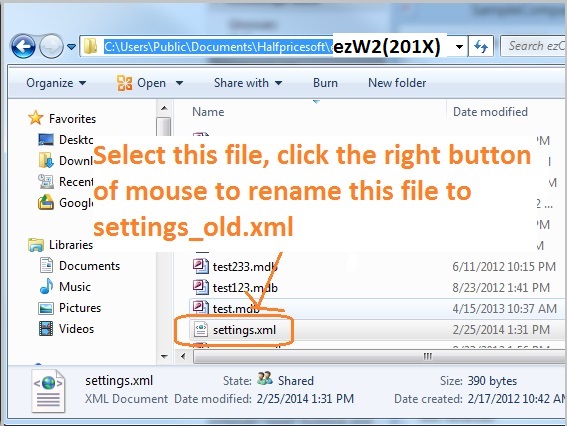
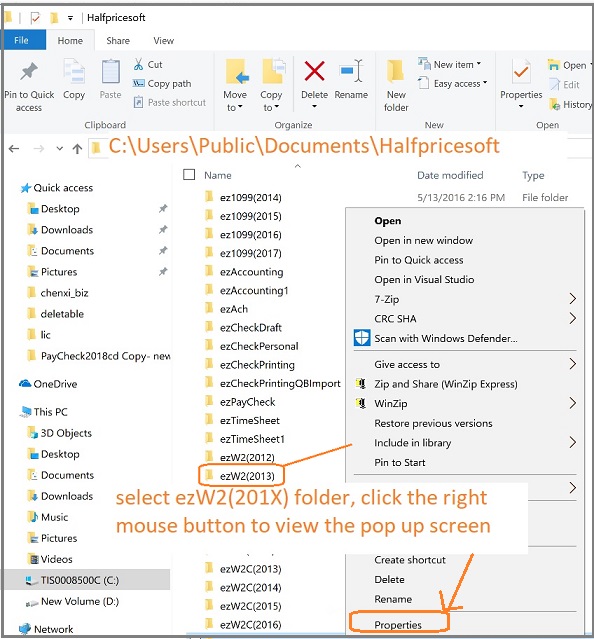
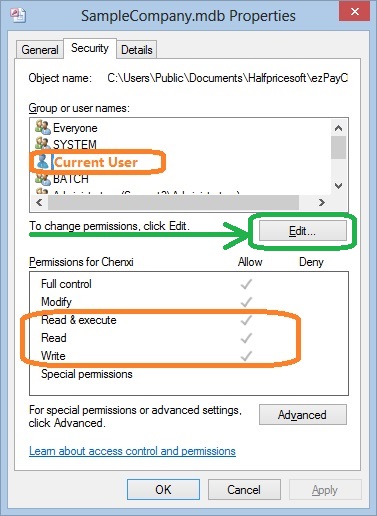
Please make sure you log on your machine as administrator or a user with enough permission to run ezW2. You need to have the FULL CONTROL permisson (or at least Read, Write & Execute permissions) of the program folder and the data folder.
The default program folder path: C:\Program Files (x86)\Halfpricesoft\ezW2(20XX)
The default data folder path: C:\Users\Public\Documents\Halfpricesoft\ezW2(20XX)