If you don't already have an account, click the button below.
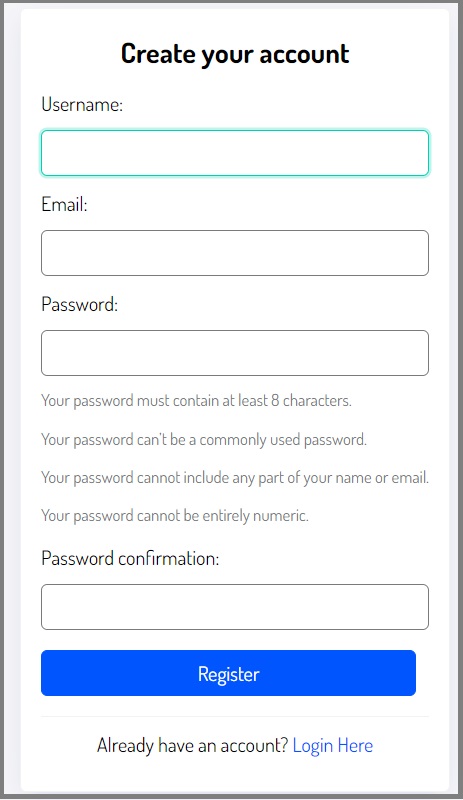
Step 2: Quick Registration
Complete the registration swiftly by entering your desired username, the email associated with your order, and a password. Click the 'Register' button, and a confirmation message will be sent to your email.
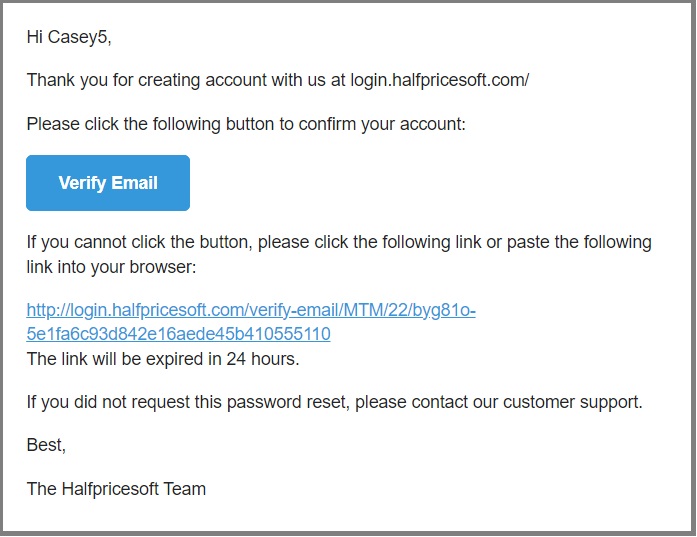
Step 3: Verify Your Email
Open the email and click the "Verify Email" button. If your mail server has special security settings preventing you from clicking the button directly, you can alternatively click the provided link or paste it into your browser to verify your account.
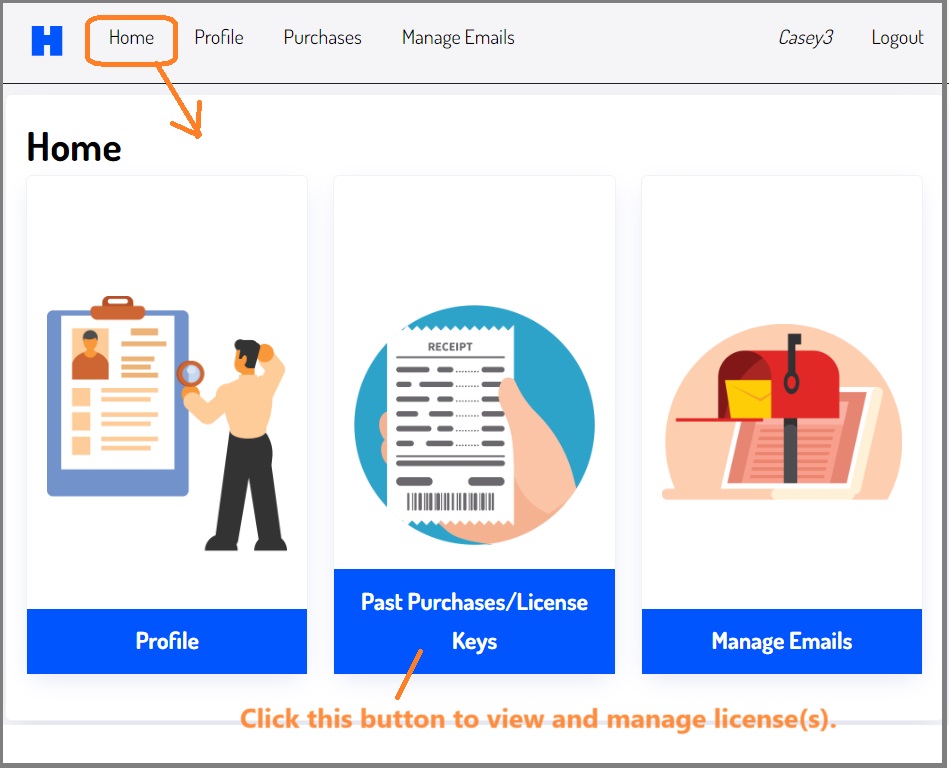
Step 4: Complete Verification
Once verified, you can log in to your account to view orders and manage licenses.
 How to create a customer account