ezDocuReader: How to Transfer License to a New Computer
Step 1: Unregister the license from the old computer
1.1 Start ezDocuReader on the old computer
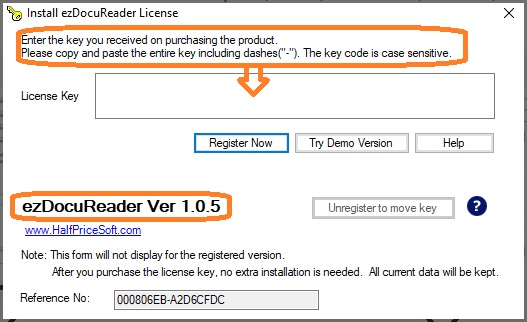
1.2 Click the top menu "help" then the sub menu "Register/Unregister License" to view license screen
1.3 Click the button "Unregister to move key"

Step 2: Register the license on the new computer
2.1 Start ezDocuReader on the new computer
2.2 Click the top menu "help" then the sub menu "Register/Unregister License" to view license screen
2.3 Copy and paste the key code there.

More information
ezDocuReader License Key Issue and SolutionHow to register a license