HalfpricesoftHalfpricesoft


    ezAch Direct Deposit Software: How to Import Clients From File

    With ezACH software, you can add a client manually. You can also import data from .csv file, ezCheckPrinting software and ezPaycheck software. Here are the steps to import data from .csv file.

    Sample data file

    You can download zipped data files here. You need to unzip them after downloading.

    You can follow this file format to add your data.


    Step 1: Start ezACH software.


    If you have not installed ezACH deposit software, you can download and try it free at
    https://www.halfpricesoft.com/NACHA-ACH-direct-deposit-download.asp

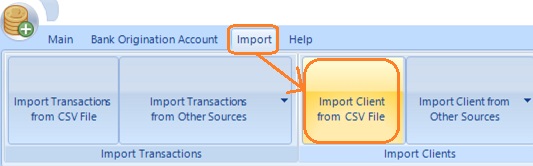
    Step 2: Click top menu "Import", then click sub menu "Import Clients from CSV File" to open the Import Clients screen


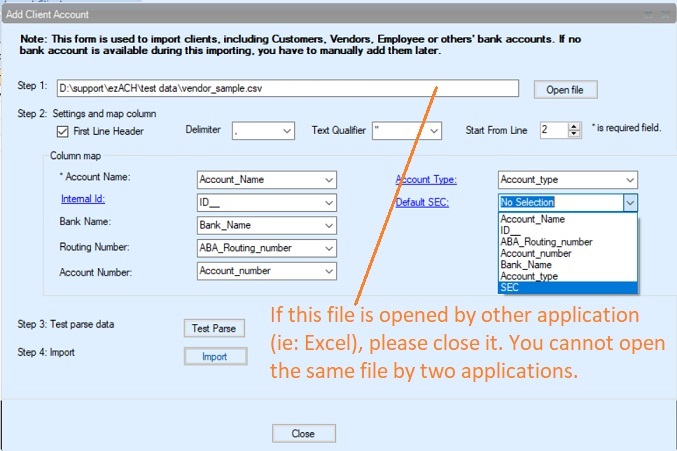
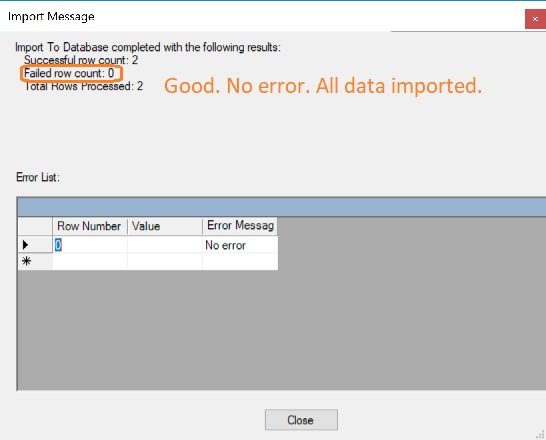
    Step 3: Follow instruction on screen


  • select the external file
  • Map columns
  • Test parse data
  • Import data


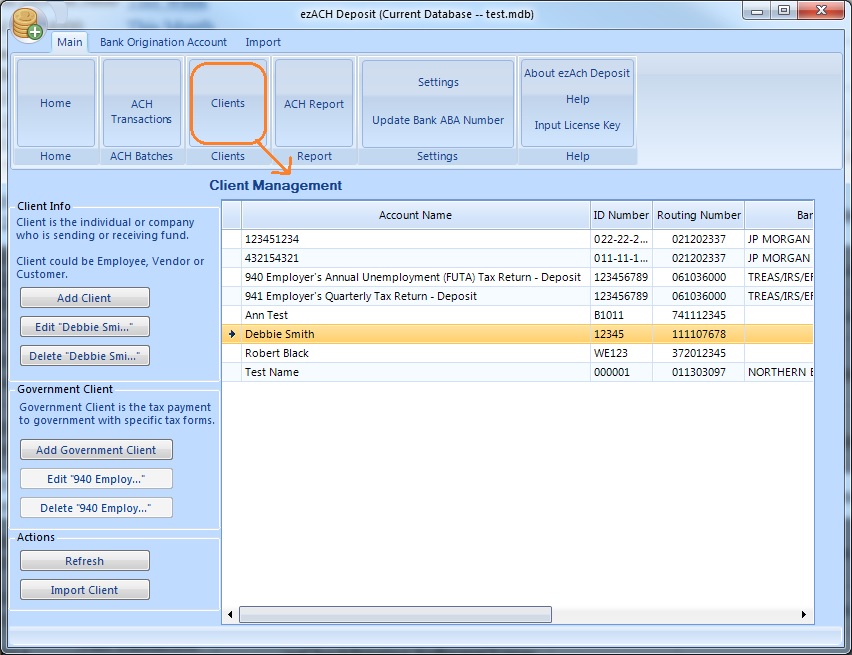
  • Step 4: View Vendor List

    When you go back to the vendor list, you will review or edit vendor(s) there.


    More Functions

  • Vendor Management: Add/view/delete a vendor


  •