2. Start ezACH software, generate ACH file and upload it to bank to pay government.
2.1 Set up company bank account
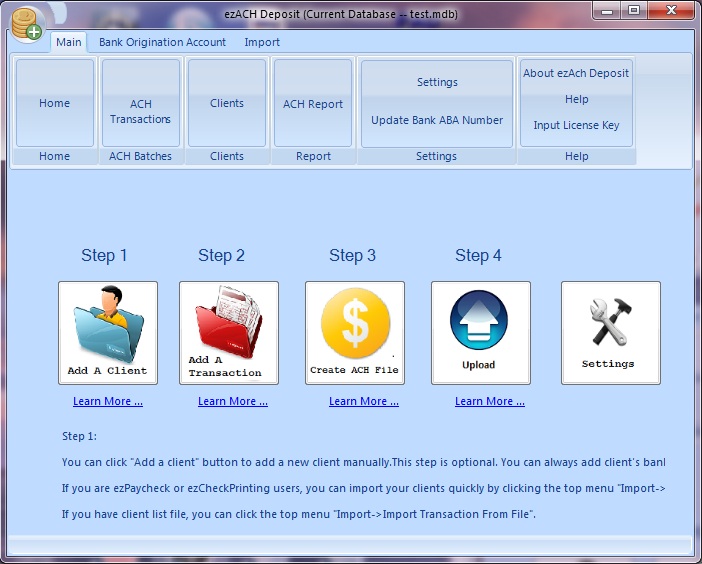
(If you have already set up your account, you can ingore this step) Click the Settings button to open account setup screen
(Click image to enlarge)
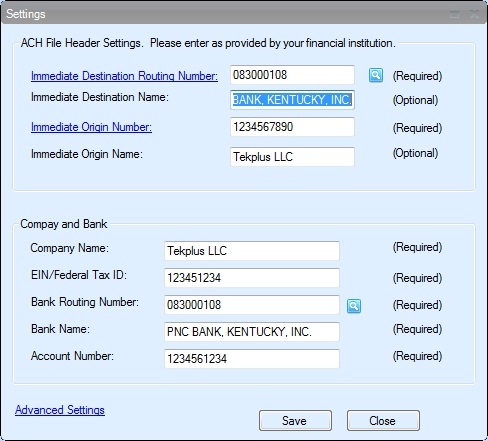
Enter account information (Click image to enlarge)
ACH Header Settings
Immediate Destination Routing number
Typically your bank's ABA/Routing Number (9 digits)
Immediate Destination Name
Your Bank Name. Such as "PNC BANK, KENTUCKY, INC." or "Bank of America NE"
Immediate Origin Number
This is the company ID assigned by your bank. Typically your Fed ID (oftern with a leading "1"), an account number, or ABA Number. Not sure, Try 1 + Fed ID. The maximum length is 10-digit.
Immediate Origin Name
Your company Name
2.2: Add a government client
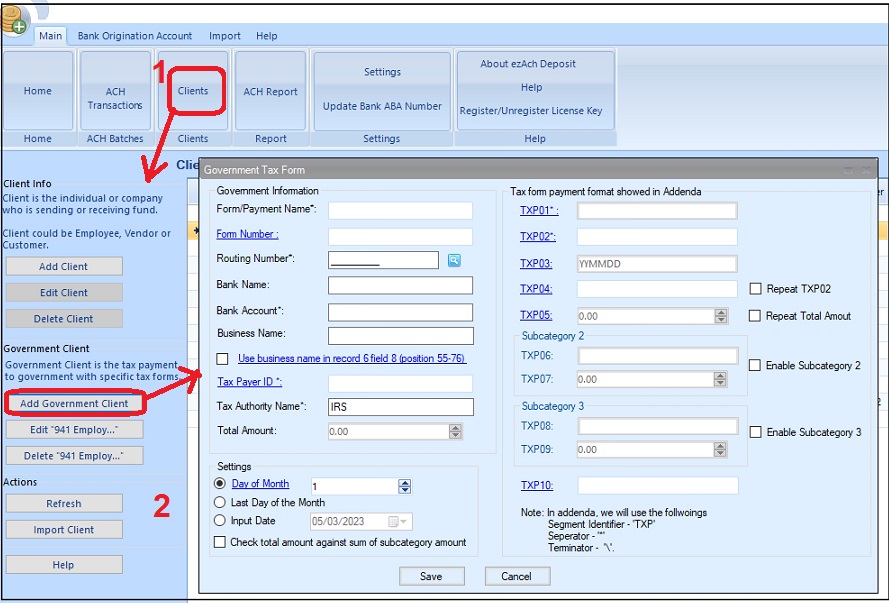
- Click the top menu "Main" then "Clients".
- Click the button "Add Government Client".
- Follow governemt deposit guide(ie: IRS guide or local office guide) to set up the client
2.3: Add a new transaction
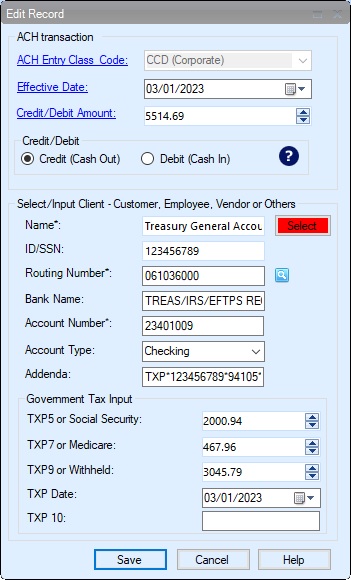
To pay government, you should choose the option "Credit".
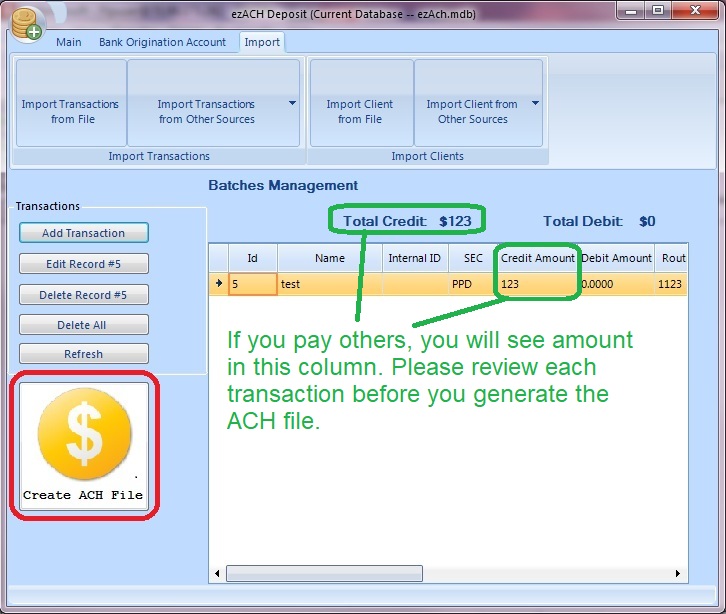
2.4: Create the ACH file2.4.1 Review the transactions. If everything is correct, click the "Generate ACH file" to generate the file (Click image to enlarge)
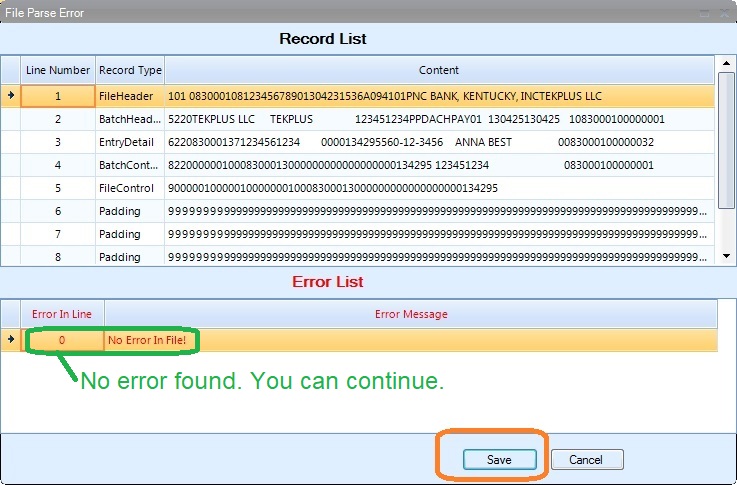
2.4.2 If there is no error in list, click the SAVE button to save your file. (Click image to enlarge)
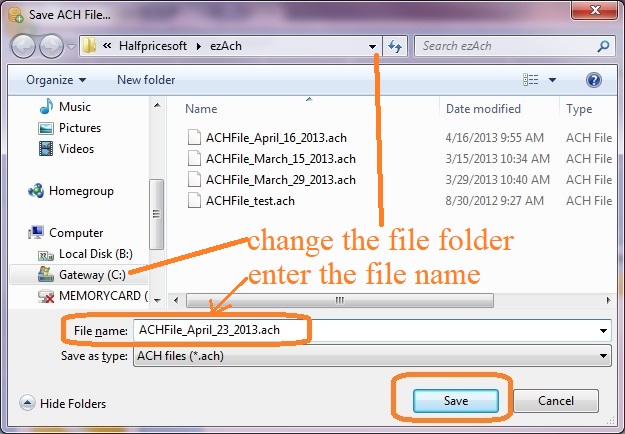
2.4.3. You can specify a new folder to save your file (Click image to enlarge)
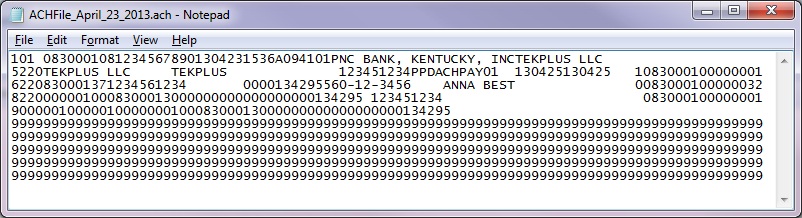
2.4.4. Sample ACH file (Click image to enlarge)
2.5 Upload ACH file to your bank
Then you can log in your bank account, upload the ACH file, review and authorize the transactions. Usually your employees can see funds in their account in 24 hours.
Your bank should give you the user ID, password and instructions on how to upload/send file. You can contact your bank for more details.