How to Make 941 Federal Tax Deposit Using EFTPS Site
In house DIY
ezPaycheck payroll software automates tax calculations and paycheck printing. This is the guide about how to make 941 federal tax deposit payment using EFTPS site for your bi-weekly, monthly and quarterly deposit.
If you need to print tax form, please view this guide
How to print Form 941, 941-V and Schedule B.
More information on what a 941 form is can be found here
Step 1: Print ezPaycheck Employer Report
Start ezPaycheck payroll software. Open Federal 941 Deposit Report by clicking the ezPaycheck left menu "Forms and Reports" then "Reports". Change report criteria and generate you report 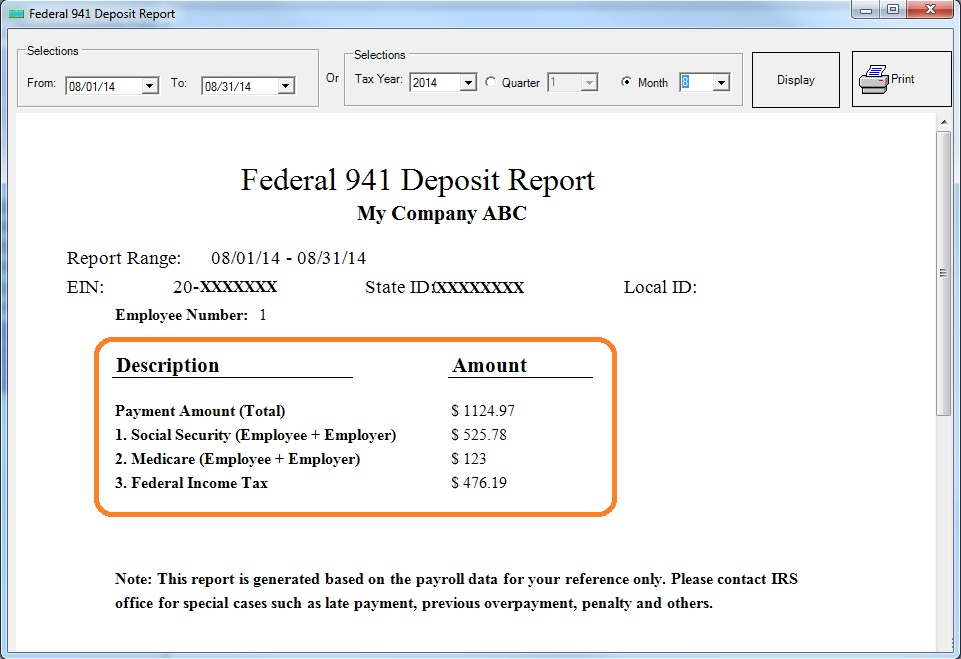 click to view larger image

From $169 | ezPaycheck Makes Payroll An Easy, In-House Task!
(For Windows and Mac )
- Trusted by Thousands for Two decades.
- Calculate Federal & State Taxes, Print Paychecks, Print W2, W3, 941, 943 and 940.
- User-friendly, Easy-to-use
- No monthly fee.
Act now: automate your small business payroll today.
Try it free for 30 days with no obligation. No credit card required.
|
Step 2: Enroll EFTPS If You Do Not Have An Account
The Electronic Federal Tax Payment System (EFTPS) is a free service from the U.S. Department of the Treasury. All federal taxes can be paid using EFTPS.
If you have not enrolled this system, you can need to enroll first before you can deposit payment. Click here to
enroll eftps.
Step 3: Deposit 941 payment
Step 3.1: Log in
Click this link below to open eftps site and click "Make a Payment" to start
https://www.eftps.gov 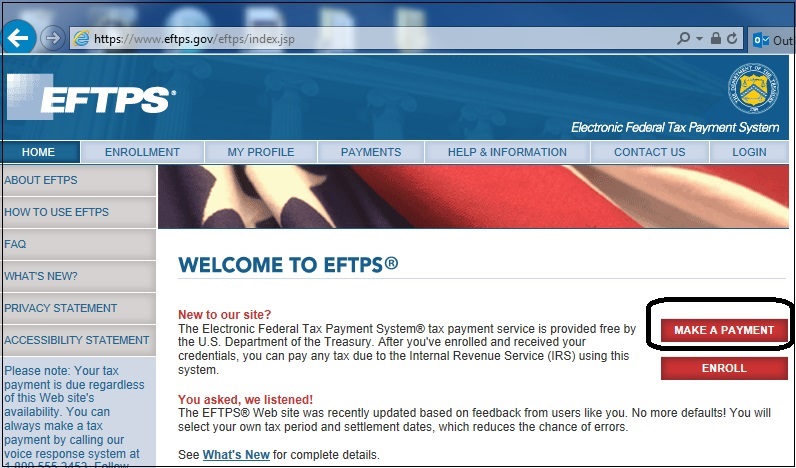
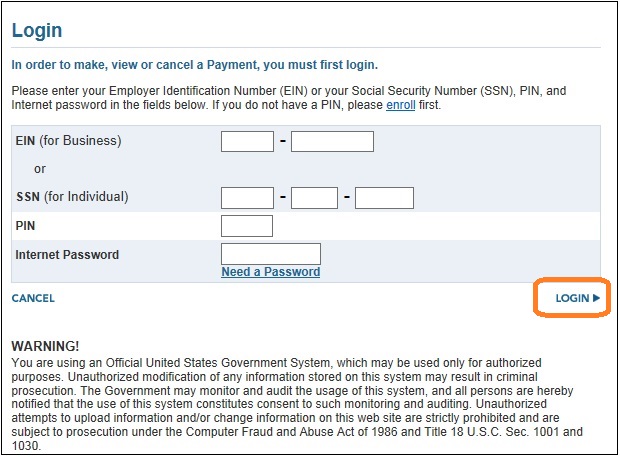
Enter the required information and log in
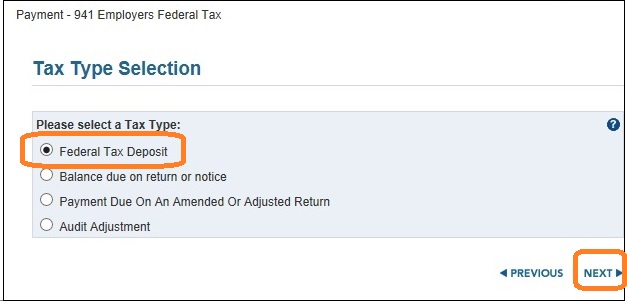
Step 3.2: Select payment type
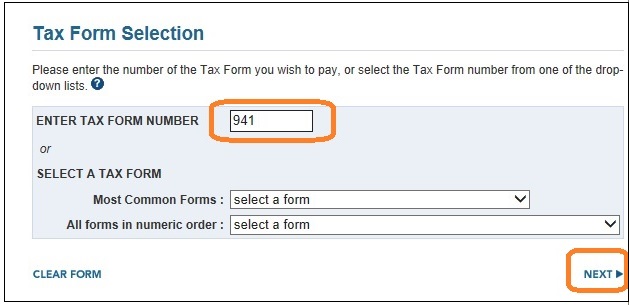
Step 3.3: Select Form Number
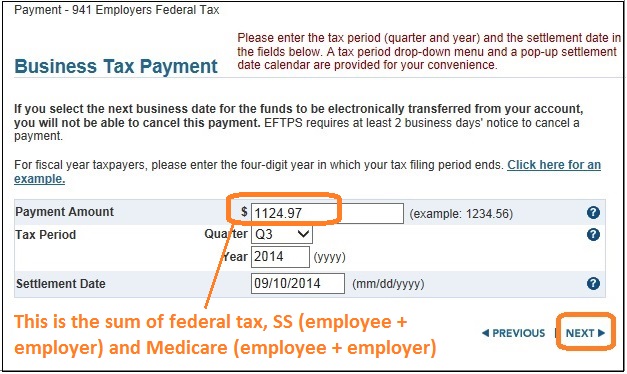
Step 3.4: Ener tax amount
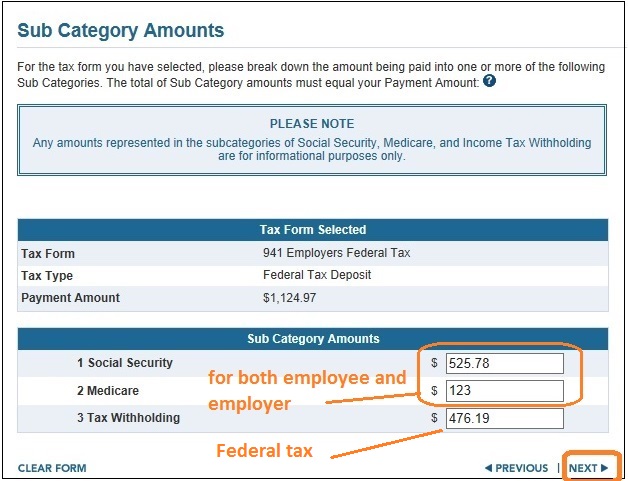
Step 3.5: Enter tax category information
Step 3.6: Verify information for payroll tax payment deposit
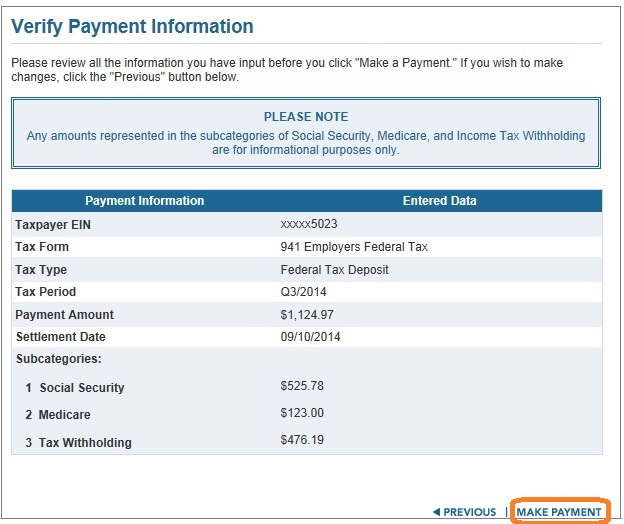
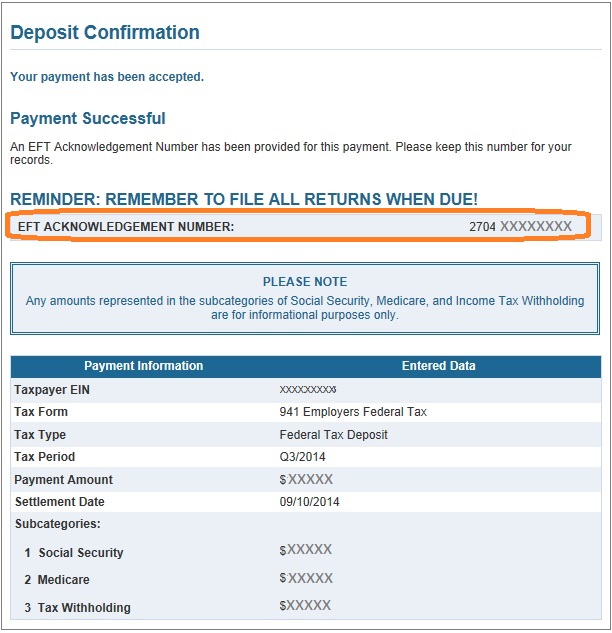
Step 3.7: Comfirm federal tax payment deposit
More About Form 941
How to print Form 941, 941-V and Schedule B How to enter tax form preparer information How to generate 941 form manually(For new clients who do not have payroll data inside ezPaycheck system)
Tax form due dates
Related Links:
ezPaycheck Quick Start Guide How a add a new company account How to handle both employees and contractors How to handle restaurant tips How to add a custom deduction and withhold it from each paycheck automatically How to handle local taxes How to handle State Disability Insurance (SDI) How to print paycheck in different formats: check-on-top, check-in-middle, check-at-bottom or 3-per-page How to print paycheck on blank stock How to print paycheck on pre-printed checks How to print paycheck with company logo How to adjust check printing position Sample Paychecks Determine a Company's Name for e-Filing

