How to Make Federal Tax Deposit Payment Using EFTPS Site
Making timely and accurate federal tax deposits is crucial for employers. In house DIY
ezPaycheck payroll software automates tax calculations and paycheck printing. It also generates reports to help you make income tax deposit.
Here is the step by step guide on how to make federal tax deposit using
EFTPS(Electronic Federal Tax Payment System) site.
What is EFTPS(Electronic Federal Tax Payment System)
The EFTPS is a secure and convenient online platform provided by the IRS for making federal tax deposits. Registering for EFTPS allows you to schedule payments in advance, track your payment history, and receive instant confirmation of your deposits.
Enroll EFTPS
If you have not enrolled this system, please click here to
enroll eftps.
Steps to make deposit Using EFTPS Site
Step 1: Log in
Click this link below to open eftps site and click "Make a Payment" to start
https://www.eftps.gov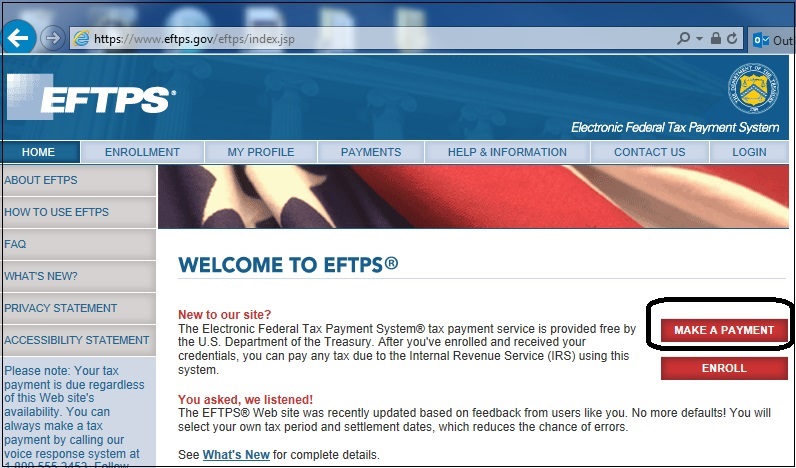
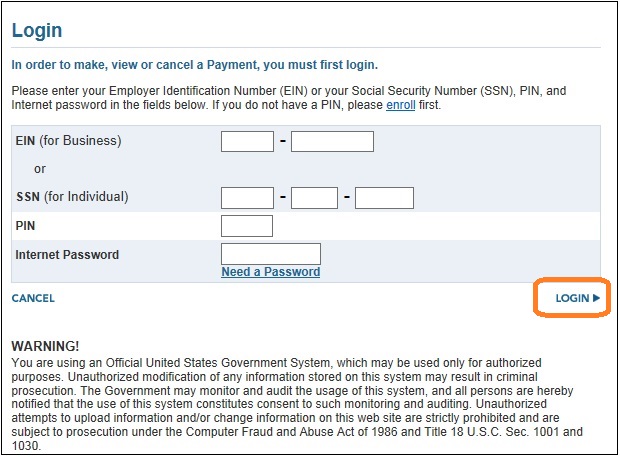
Enter the required information and log in
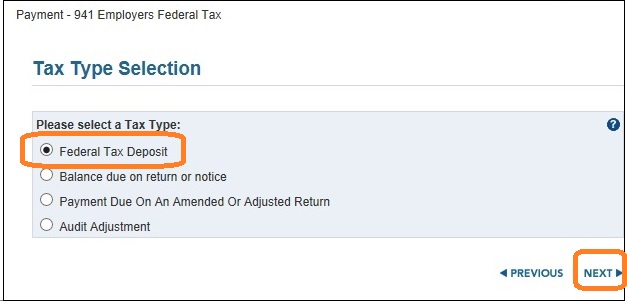
Step 2: Select payment type
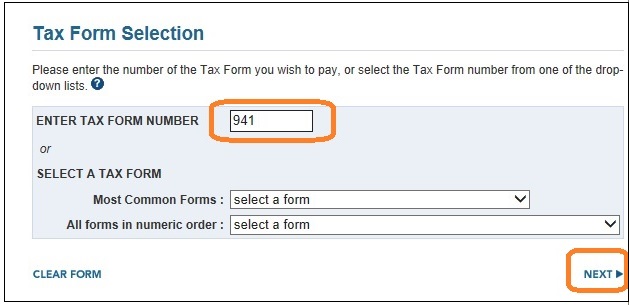
Step 3: Select Form Number
Step 4: Ener tax amount
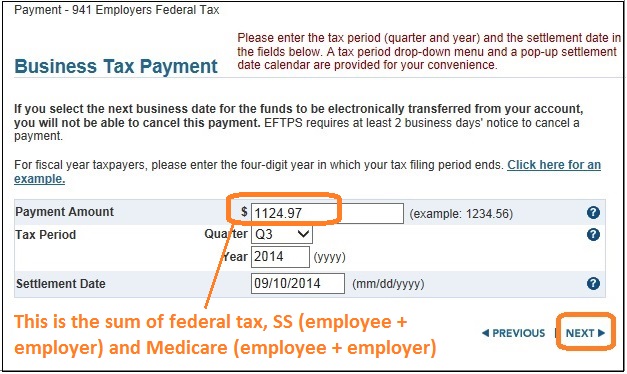
Step 5: Enter tax category information
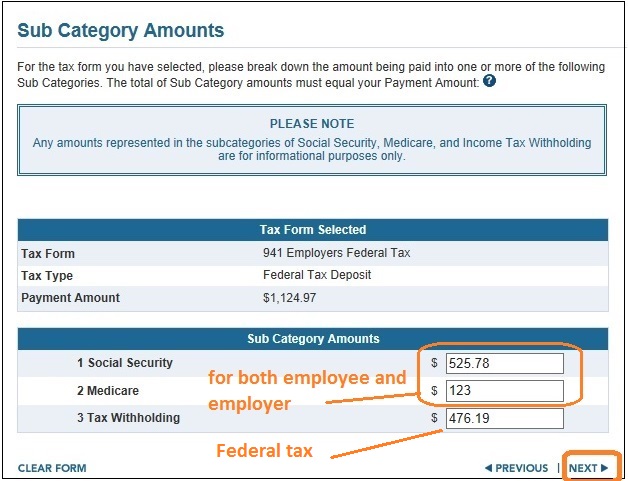
Step 6: Verify information for payroll tax payment deposit
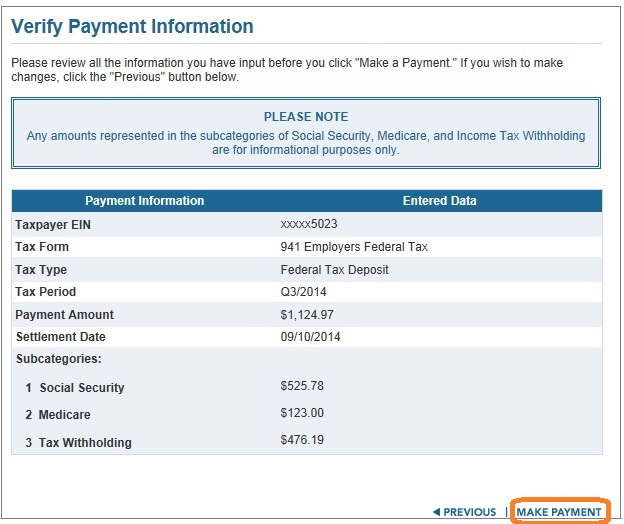
Step 7: Comfirm federal tax payment deposit
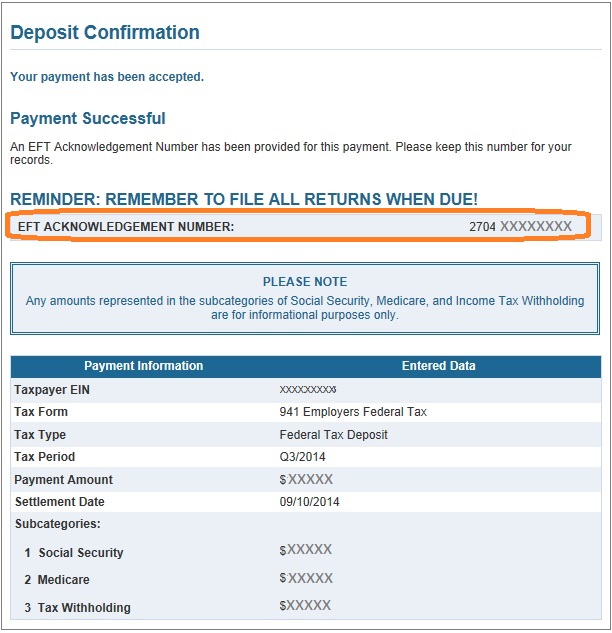
More information
Deposit ScheduleThe IRS provides different deposit schedules based on the size of your tax liability. Ensure you are aware of your specific deposit schedule (monthly or semiweekly) to avoid penalties and interest. If you have any questions about your deposit schedule, please contact your local IRS office directly.
Other payment option: using ACH Payment to make federal deposit

From $169 | ezPaycheck Makes Payroll An Easy, In-House Task!(For Windows and Mac)
- Trusted by Thousands for Two decades.
- Calculate Federal & State Taxes, Print Paychecks, Print W2, W3, 941, 943 and 940.
- User-friendly, Easy-to-use
- No monthly fee.
Act now: automate your small business payroll today.
Try it free for 30 days with no obligation. No credit card required.
|
Related Links:
ezPaycheck Quick Start GuideHow a add a new company accountHow to handle both employees and contractorsHow to handle restaurant tipsHow to add a custom deduction and withhold it from each paycheck automaticallyHow to handle local taxesHow to handle State Disability Insurance (SDI)How to print paycheck in different formats: check-on-top, check-in-middle, check-at-bottom or 3-per-pageHow to print paycheck on blank stockHow to print paycheck on pre-printed checksHow to print paycheck with company logoHow to adjust check printing positionSample PaychecksDetermine a Company's Name for e-Filing
Download Now> Buy Now
