Designed with simplicity in mind, ezPaycheck payroll software is simple and flexible. ezPaycheck software makes payroll an easy job!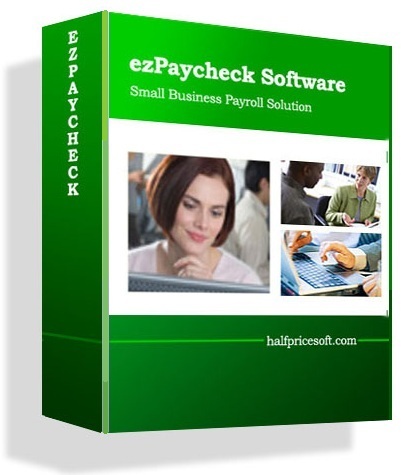 From $169/calendar year | ezPaycheck Automates Payroll Tasks for Churches and NonprofitsDesigned with simplicity in mind, this payroll software is ideal for users who do not know much about computer and accounting. ezPaycheck software can handle the payroll checks for both 1099 contractors and W-2 empoyees. |
| Easy-to-use graphic user interface; | Yes |
| Built-in federal and 50 states tax tables; | Yes |
| Automatically calculates Federal Withholding Tax, Social Security, Medicare Tax and Employer Unemployment Taxes; | Yes |
| Support unlimited companies and employees with no extra charge; | Yes |
| Prints paychecks on blank computer check stock and preprinted check; | Yes |
| Prints any purpose MISC checks; | Yes |
| Calculates and prints out 940, 941, W-2 and W-3 forms; | Yes |
| Users can add custom wage and deduction fields; | Yes |
| Prints logo and image signature on checks; | Yes |
| Easy to follow wizard guides through the company creation process and employee setup; | Yes |
| Supports Daily, Weekly, Biweekly, Semimonthly and Monthly payroll periods; | Yes |
| Supports multiple check formats: check-in-middle, check-on-top, and check-at-bottom; | Yes |
| Easy to use employer and employee reports; | Yes |
| Data export: payroll data and employee list; | Yes |
| Database backup and restore; | Yes |
| Unlimited free support; | Yes |
| 30 day free trial | Yes |
| Payroll System Main Screen ezPaycheck payroll solution is designed with simplicity in mind. It is easy to use even for people without accounting background. Once you install ezPaycheck on your machine, you are ready to click the Add button to add your first paycheck. You can go through the following steps to customize it for your company. Free Download now Buy it Now! | 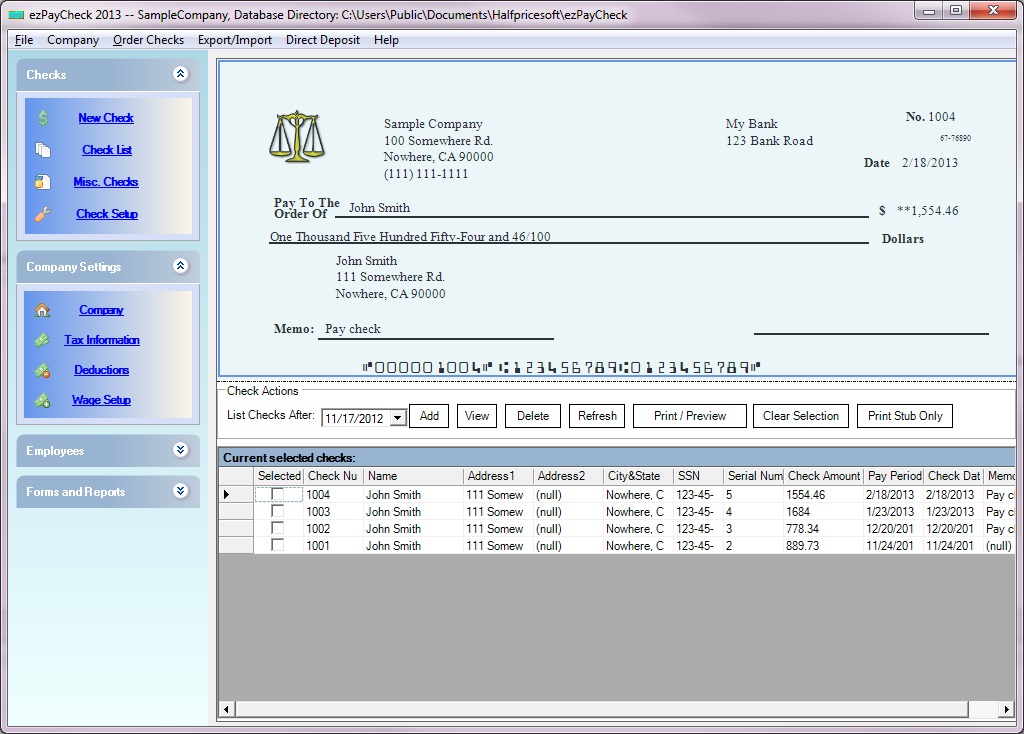 Click image to enlarge |
| Step 1: Company Setup | 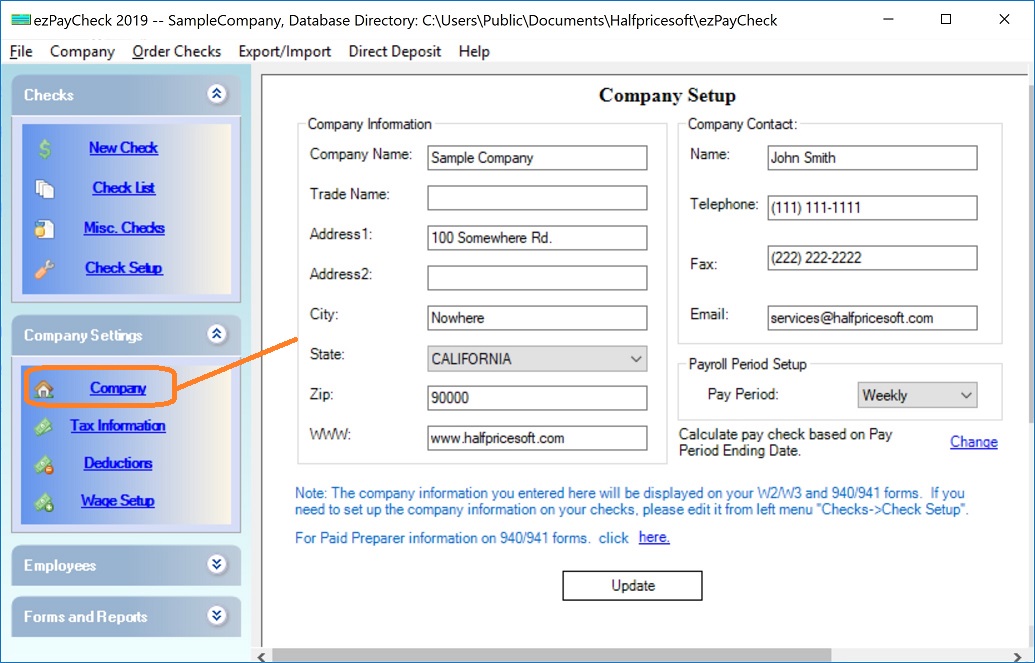 Click image to enlarge |
| Step 2: Tax Setup | 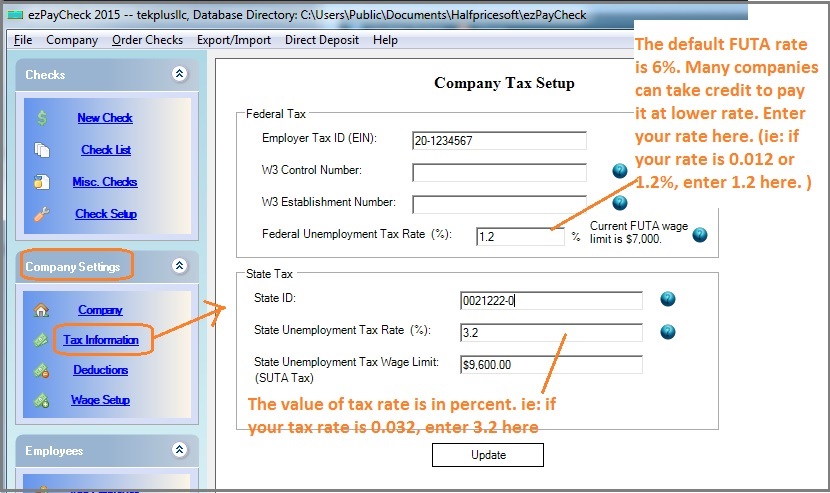 Click image to enlarge |
| Step 3: Check Setup | 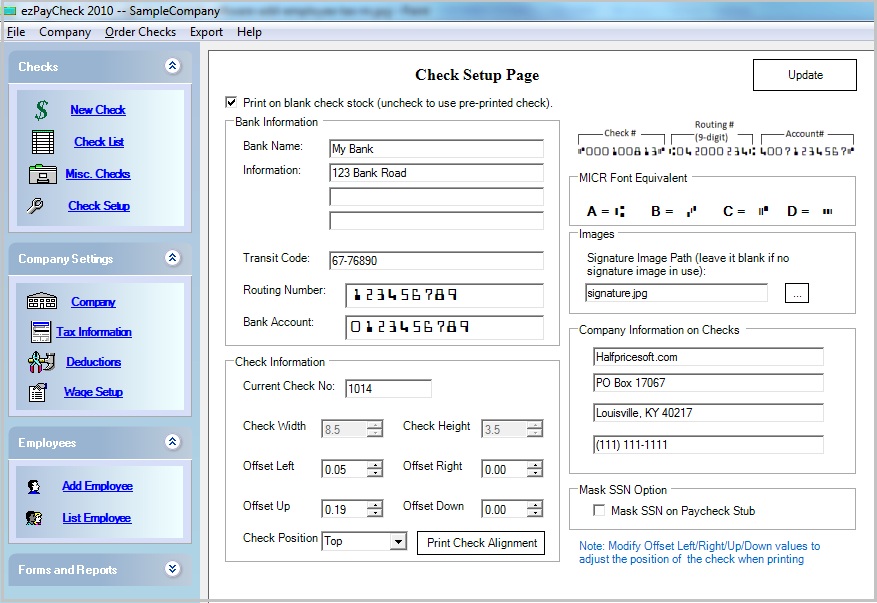 Click image to enlarge |
| Step 4: Add Employee | 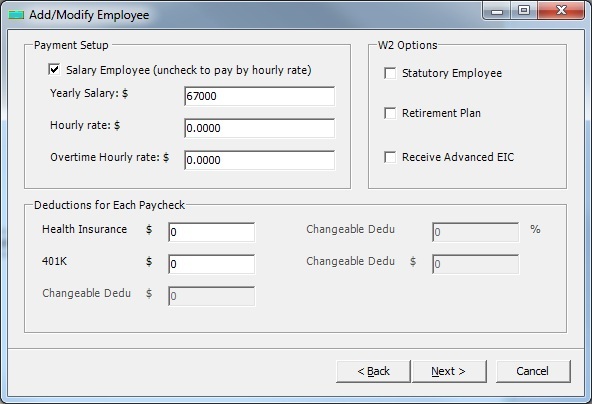 Click image to enlarge |
| Step 5: Add Check | 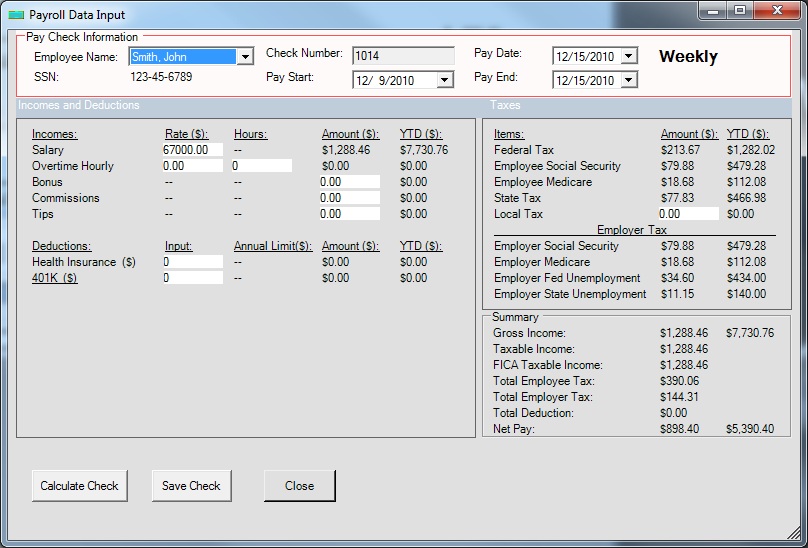 Click image to enlarge |
More features | 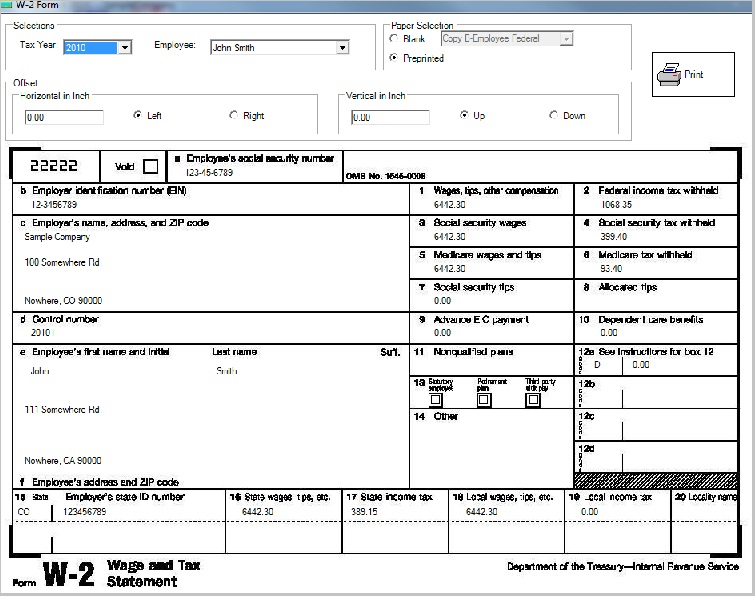 Click image to enlarge |
EzPaycheck payroll software can print checks on blank stock and pre-printed checks with home/office laser printer. | ||
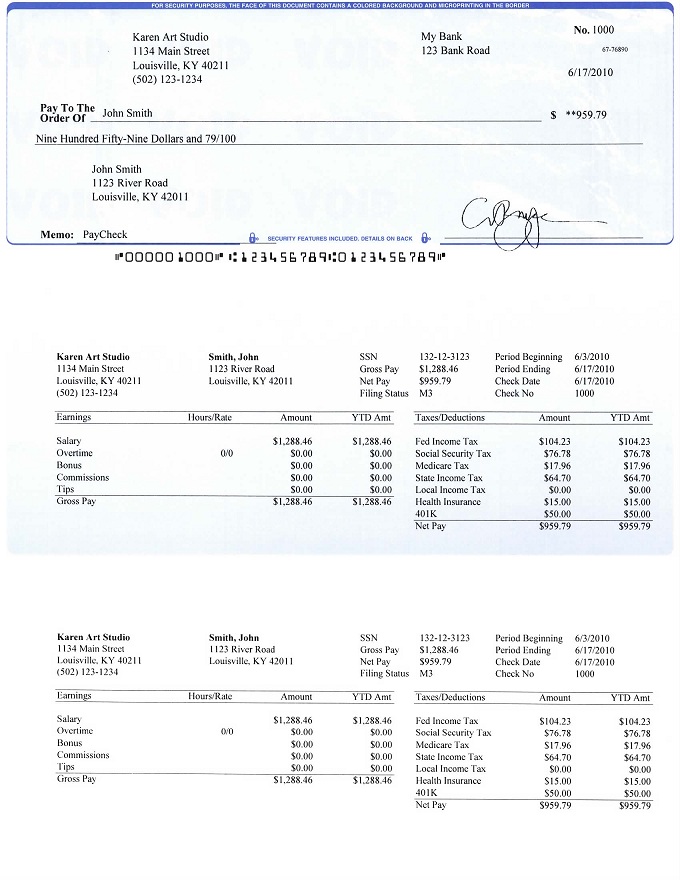 check-on-top format | 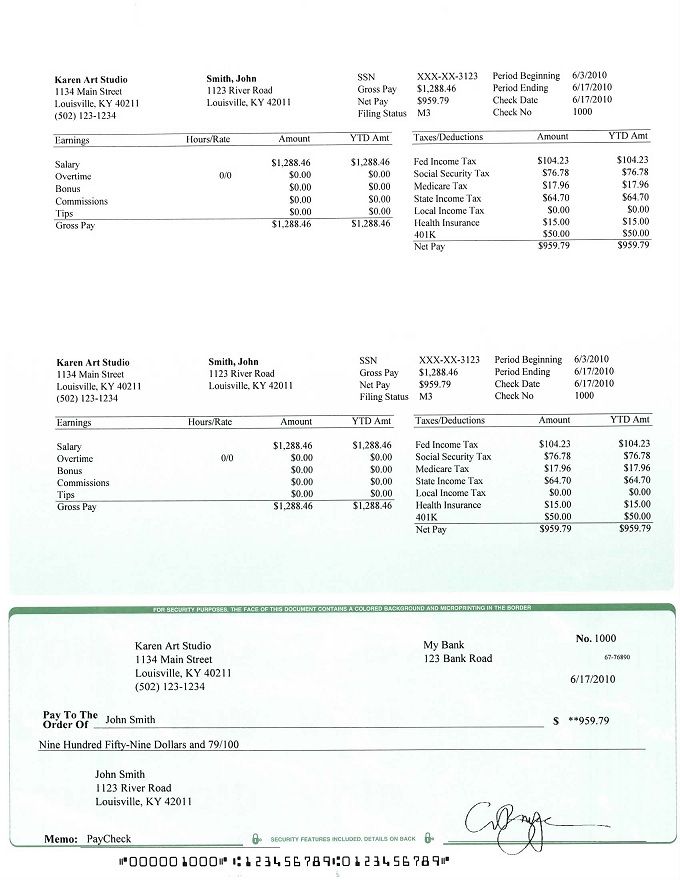 check-at-bottom format | 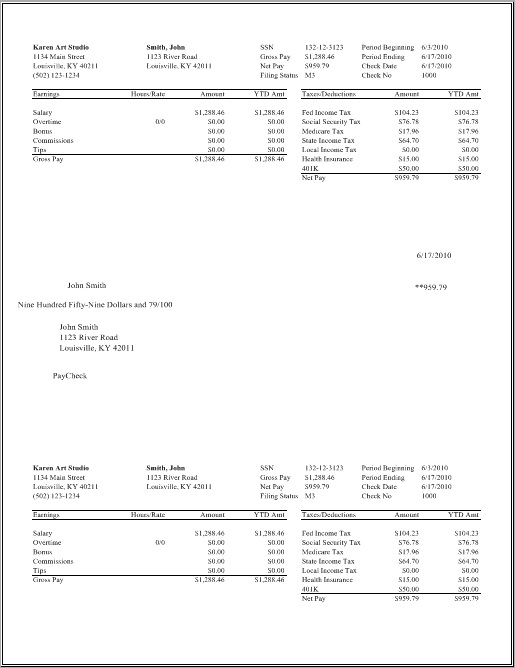 Data only for pre-printed check |

