ezPaycheck: How to Set Up Pre-tax Health Insurance Payroll Deduction
In house Payroll Softwware ezPaycheck is very flexible. You can choose tax options for deduction item. Here are the steps to set up pre-tax health insurance deduction.
Step 1: Set up health insurance deduction
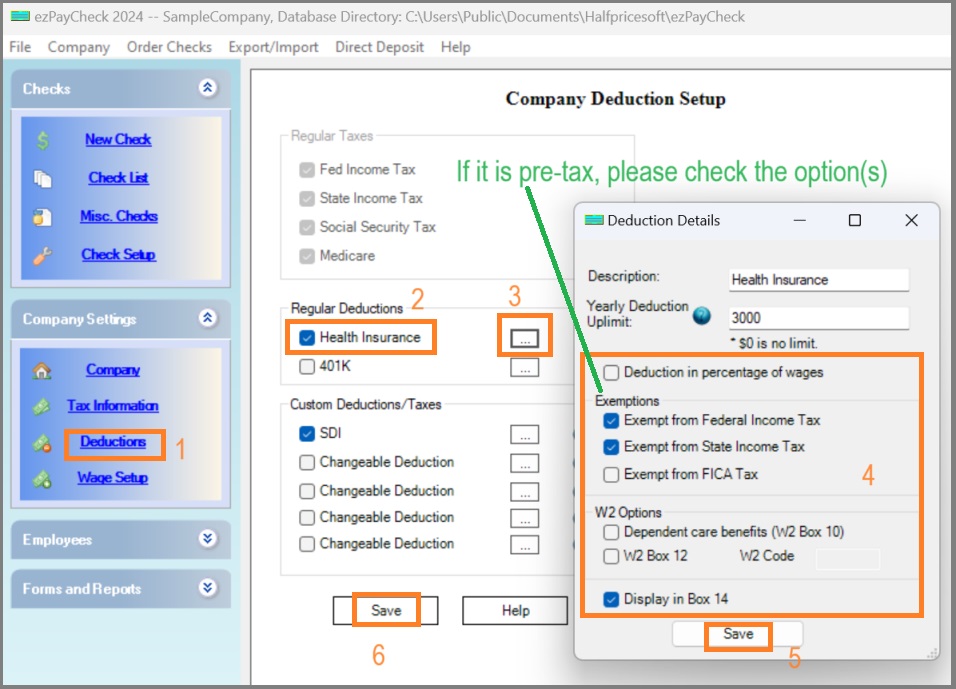
You can click the ezPaycheck left menu "Checks" then "Company Settings", then "Deductions" to view company dedution setup screen.
Check Health Insurance option, click the button behind to view detailsChoose the tax optionsClick Save button to update your changes.Click the Save button on Company Deduction Setup screen to save changes.
(Click image to enlarge)
Step 2: Set up Employee Profile
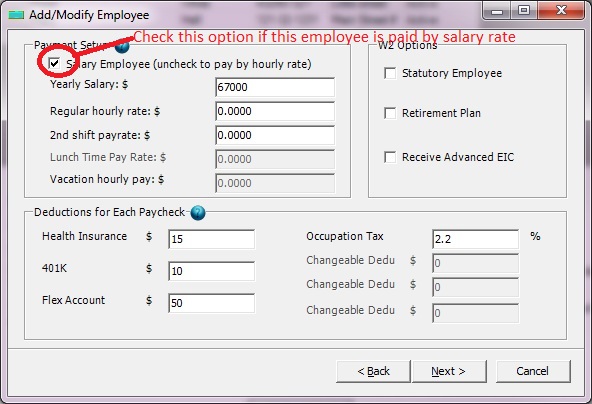
- Enter the amount on employee profile
(Click image to enlarge)
Step 3: Generate a new check
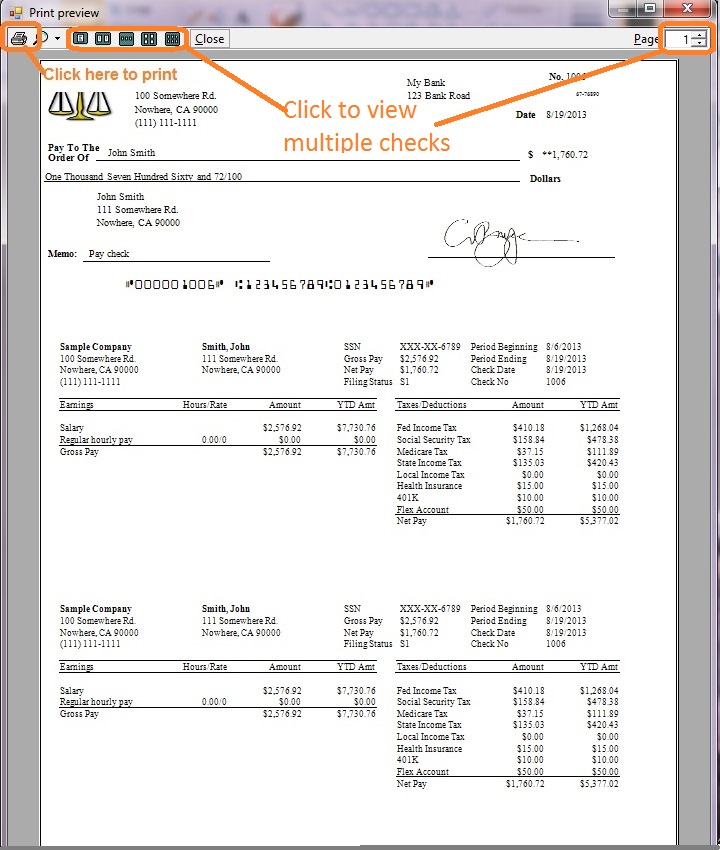
- When you add a new check, you will see health insurance dedution item on paycheck.
(Click image to enlarge)

From $159
(Regular $189) | ezPaycheck Makes Payroll An Easy, In-House Task!(For Windows and Mac)
- Trusted by Thousands for Two decades.
- Calculate Federal & State Taxes, Print Paychecks, Print W2, W3, 941, 943 and 940.
- User-friendly, Easy-to-use
- No monthly fee.
Switching Payroll? Get ezPaycheck 2026 + 2027 Together & Save
Try it free for 30 days with no obligation. No credit card required.
|
Related Links:

