How to Print Paycheck Stubs on Paper or Convert into PDF File
For ezPaycheck 2022 or previous version
(
If you are using ezPaycheck 2023 or later version, please follow this new guide.)
ezPaycheck payroll software makes small business payroll an easy job. In this guide, you will find:
How to generate paystubs manually or automaticallyHow to print paystubs with or without paycheckHow to print paystubs into PDF fileHow to make paystubs and print paycheck stubs only on paperHow to convert paystubs into PDF file and email it to employeeHere are the step by step guide to print paystubs:
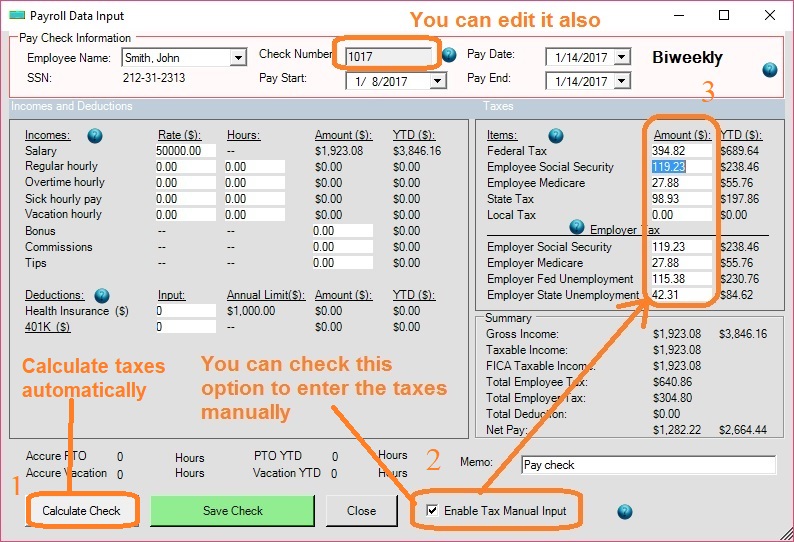
Step 1: Generate paycheck automatically or manually (Optional)
You can generate a new check by using tax tables or you can enter the taxes data manually. You can skip this step if you have already created paychecks.
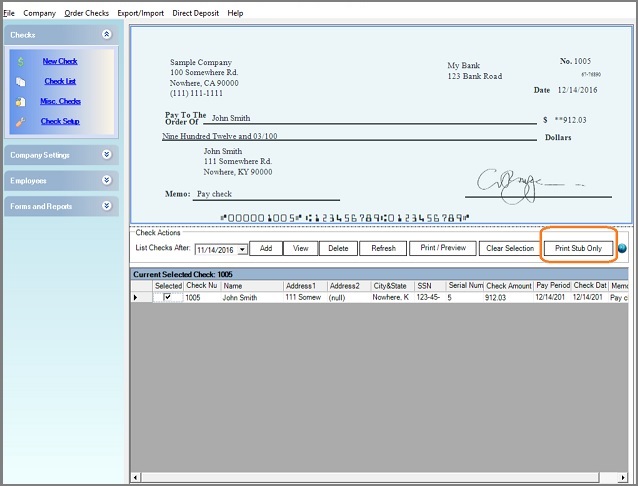
Step 2: Select paycheck(s) from list and click the button "Print Stub Only".
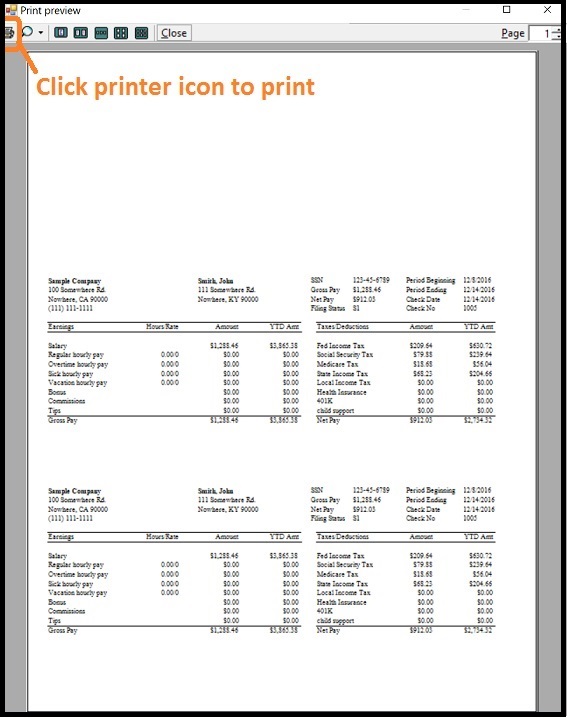
Step 3: Click the Printer Icon from preview screen and print stubs on paper.
About PDF printing
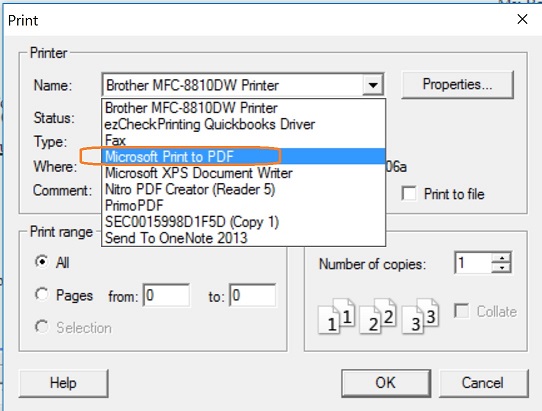
1. Microsoft Windows 10 system includes Native Print as PDF option. When you print a check, report or forms, you can select "Windows Print to PDF" from printer list to print file into PDF format easily.
2. If you are not using Windows 10, you can search "PDF driver" (or PDF printer or PDF converter) online and install it on your computer to print checks in PDF format.
More Information:
How to generate paycheck for 1099 contractorsHow to enter YTD data manuallyRelated Links:

From $169 | ezPaycheck Makes Payroll An Easy, In-House Task!(For Windows and Mac)
- Trusted by Thousands for Two decades.
- Calculate Federal & State Taxes, Print Paychecks, Print W2, W3, 941, 943 and 940.
- User-friendly, Easy-to-use
- No monthly fee.
Act now: automate your small business payroll today.
Try it free for 30 days with no obligation. No credit card required.
|

