From $169/calendar year
|
Paying employees accurately and on time is very important for both online or offline retail business.
In house payroll solution
- Calculate payroll taxes
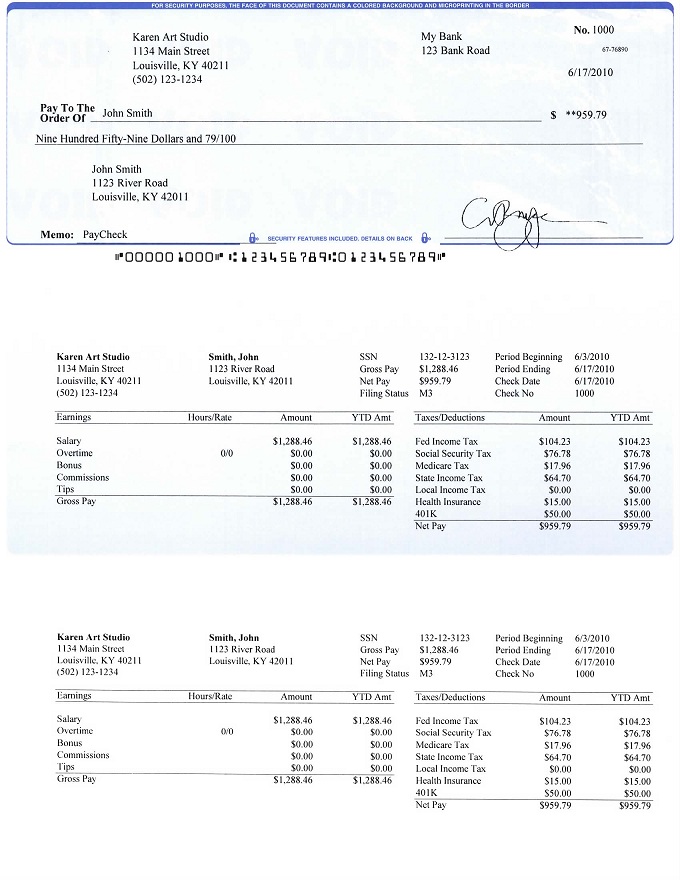
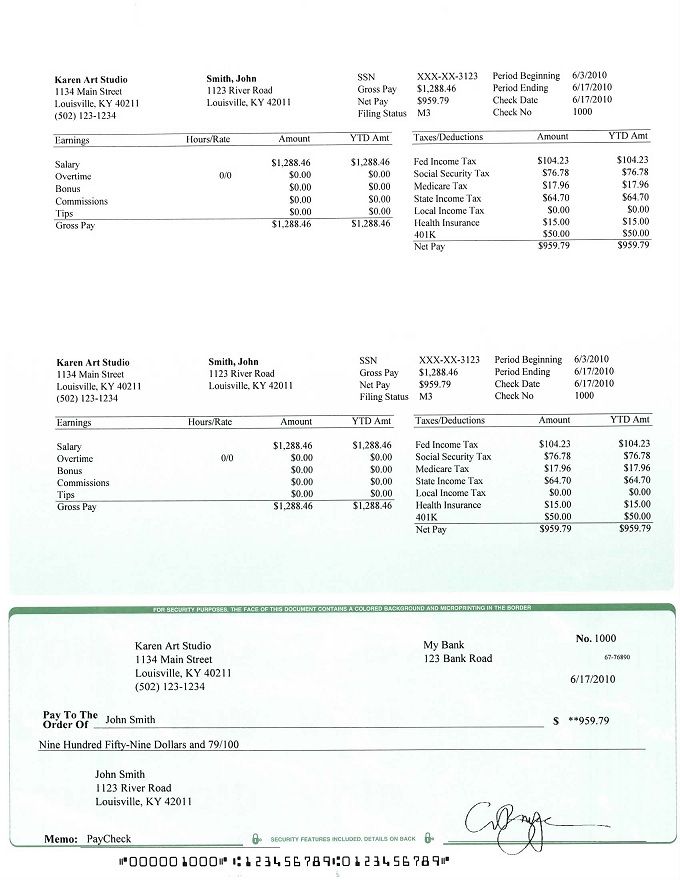
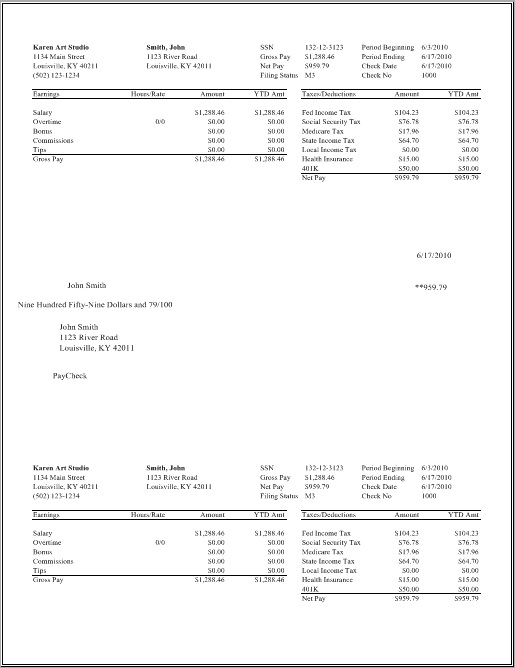
- Print paychecks on blank stock and pre-printed check paper
- Print tax form W2, W3, 940 and 941
- Generate reports to prepare data for other state and local tax forms
- Support multiple company accounts on the same computer with no extra charge
Easy-to-use
Designed for small businesses who may not know much about accounting and computer, ezPaycheck payroll software user-interface is very straight-forward and easy-to-use.
Free Trial - NO Risk
30-day free trial is available to download with no risk, no obligation and no credit card needed.
ezPaycheck can handle hourly pay, salary pay, tips, shift pay for retail store employees and contractors
No Monthly fee. No Internet Needed. |
ezPaycheck Software Simplifies Payroll Tasks for Retail Businesses Calculate taxes automatically
ezPaycheck software can calculate Federal and state taxes automatically. Customers can also use customized deduction feature to handle local tax such as SDI, professional occupation tax or other tax easily.
Multiple Payment Type
ezPaycheck can handle the paychecks by salary, hourly rate, differential hourly rate, commissions, tips, pay per item and more.
Employee and Contractor Paychecks
ezPaycheck payroll software can process the paychecks for both employees and contractors
Support unlimited Employees with no extra charge
ezPaycheck payroll software can support unlimited employee with no extra charge. So store owners do not need to worry about the cost when they hire new employees.
Different Shift Pay Rate
ezPaycheck payroll software allows an employer to assign different shift rate for the same employee within the same pay period. This feature will make it easy to handle paychecks if employees are paid with different rate for lunch shift, dinner shift, weekday shift and weekend shift. Learn more about differential pay rate here
Support multiple accounts with no extra charge
It is ideal for owners who have multiple store and handle the payroll in one location.
DIY Payroll Tax Software Feature List (for current year version) | Easy-to-use graphic user interface;
| Yes
| | Built-in federal and 50 states tax tables;
| Yes
| | Automatically calculates Federal Withholding Tax, Social Security, Medicare Tax and Employer Unemployment Taxes;
| Yes
| | Support unlimited companies and employees with no extra charge;
| Yes
| | Prints paychecks on blank computer check stock and preprinted check;
| Yes
| | Prints any purpose MISC checks;
| Yes
| | Calculates and prints out 940, 941, W-2 and W-3 forms;
| Yes
| | Users can add custom wage and deduction fields;
| Yes
| | Prints logo and image signature on checks;
| Yes
| | Easy to follow wizard guides through the company creation process and employee setup;
| Yes
| | Supports Daily, Weekly, Biweekly, Semimonthly and Monthly payroll periods;
| Yes
| | Supports multiple check formats: check-in-middle, check-on-top, and check-at-bottom;
| Yes
| | Easy to use employer and employee reports;
| Yes
| | Data export: payroll data and employee list;
| Yes
| | Database backup and restore;
| Yes
| | Unlimited free support; | Yes
| | 30 day free trial | Yes
|
Download Now >
Buy Now
|
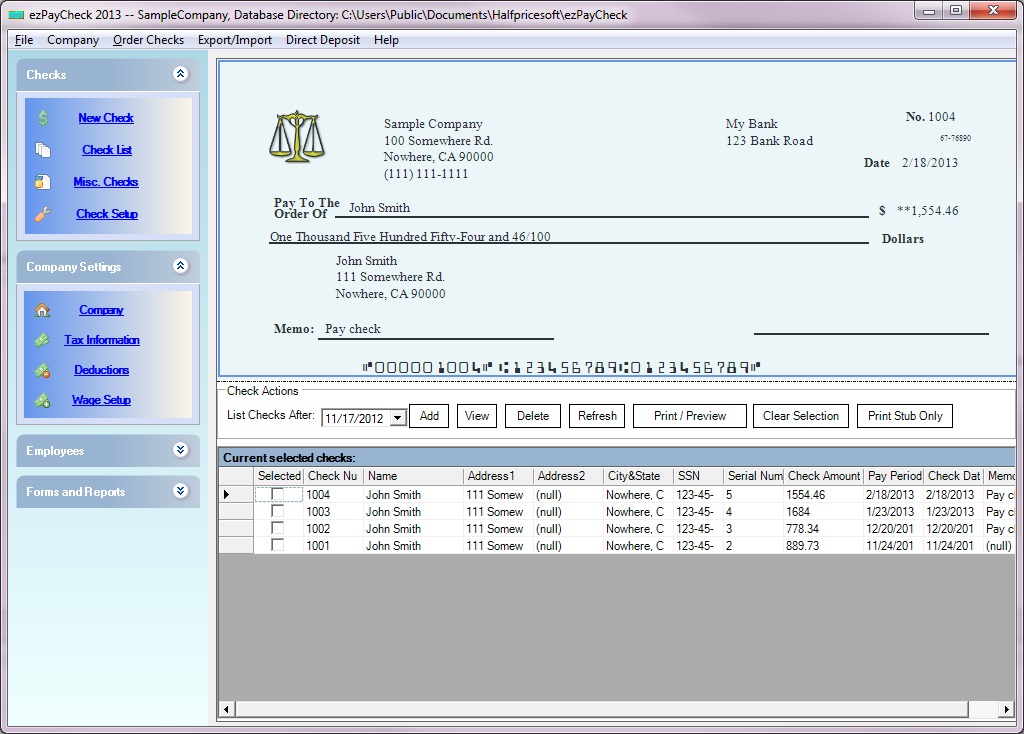
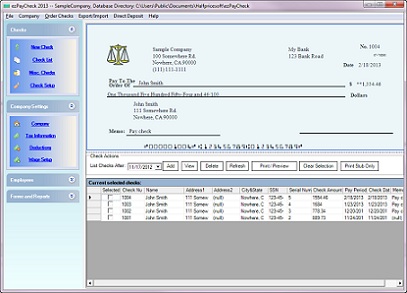
Payroll System Main Screen
ezPaycheck payroll solution is designed with simplicity in mind. It is easy to use even for people without accounting background.
Once you install ezPaycheck on your machine, you are ready to click the Add button to add your first paycheck.
You can go through the following steps to customize it for your company.
Free Download now
Buy it Now!
| 
Click image to enlarge
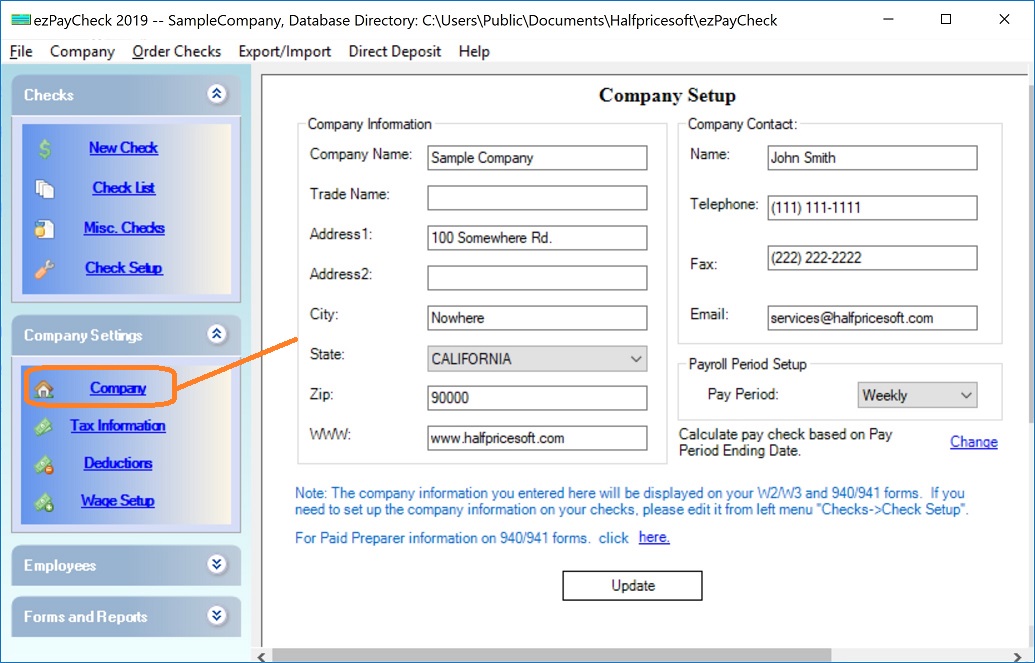
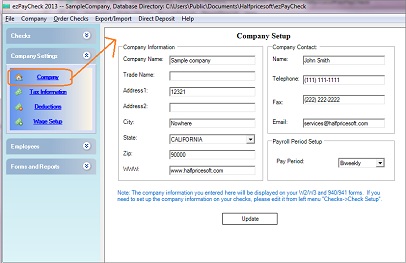
| Step 1: Company Setup
Click the left menu "Company Settings->Company".
Enter company information.
Select pay period. ezPaycheck can support daily, weekly, biweekly, semi-monthly and monthly pay periods.
Save your changes.
| 
Click image to enlarge
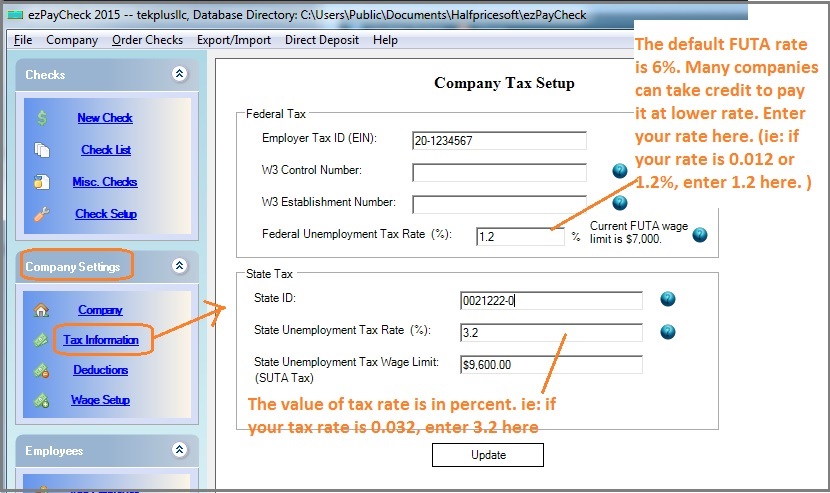
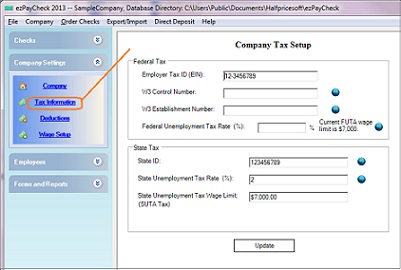
| Step 2: Tax Setup
Click the left menu "Company Settings->Tax Information".
Enter company Tax ID, W3 control number and W3 Establishment number.
Enter company State ID, State Unemployment Tax rate.
Save your changes.
| 
Click image to enlarge
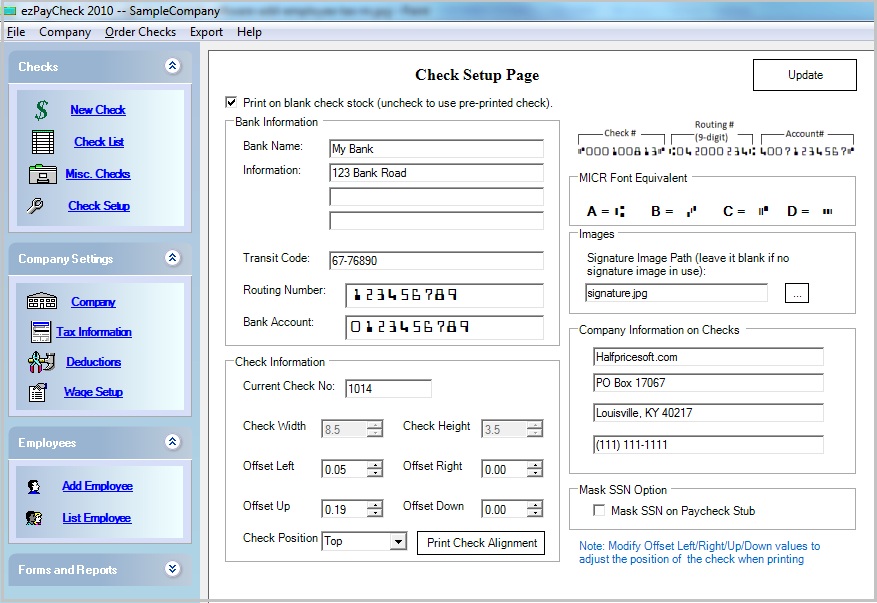
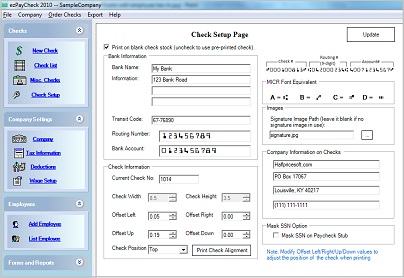
| Step 3: Check Setup
Click the left menu "Checks->Check Setup".
Enter bank information, address.(You can enter the dummy data if you use pre-printed checks)
Specify check paper type: Pre-printed check or blank check stock.
Enter current check number
Select check format: Top, middle or bottom.
Save your changes.
| 
Click image to enlarge
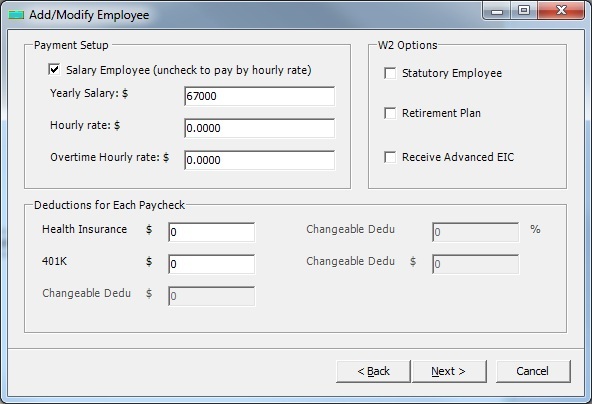
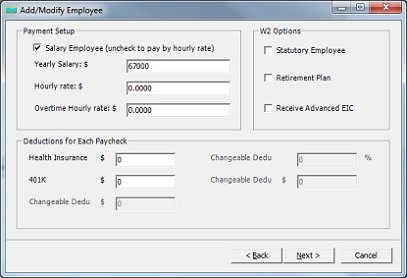
| Step 4: Add Employee
Click the left menu "Employee->Add Employee".
Enter employee name, address
Employee can be paid by yearly salary or hourly rate.
Specify the tax options.
Save your changes.
| 
Click image to enlarge
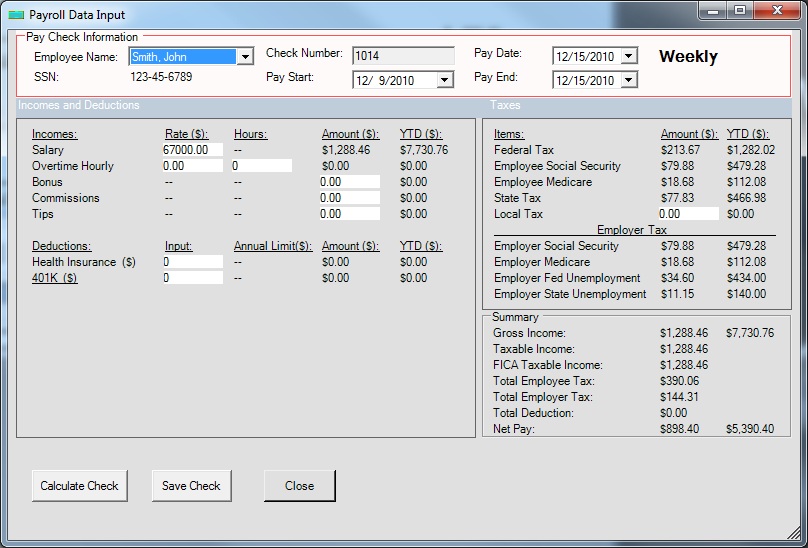
| Step 5: Add Check
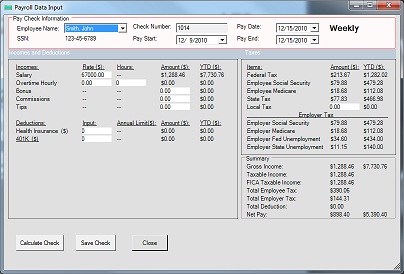
Click the left menu "Checks->New Check".
ezPaycheck will calculate the federal taxes and state taxes automatically.
You can select the paychecks from check list to preview or print.
| 
Click image to enlarge
|
More features
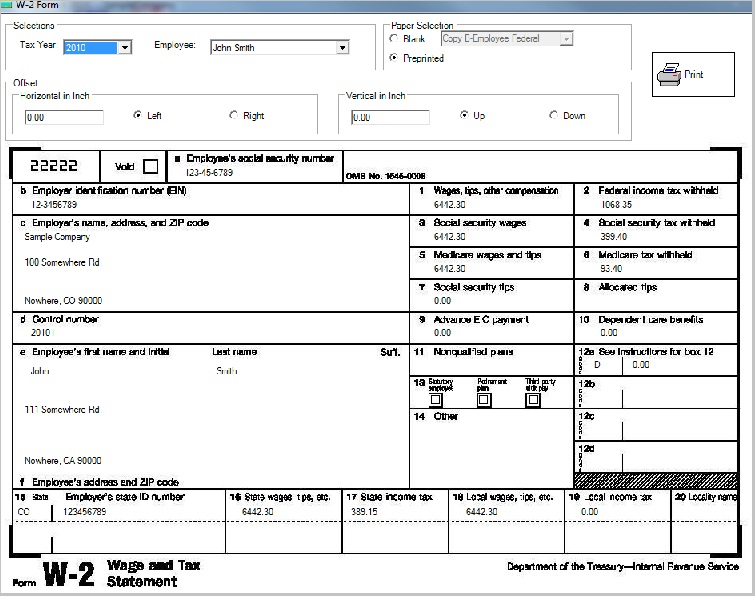
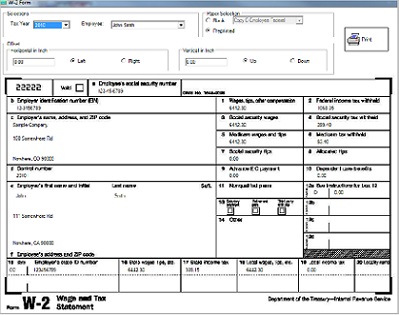
Supports forms W-2, W-3, 940 and 941
Supports employer reports and employee reports.
Exports employee data to csv file which can be imported into ezW2 software or other software
Exports payroll data
| 
Click image to enlarge
| |