Payroll Software: How to Switch the Current Account
ezPaycheck Payroll Software: Unlimited Accounts with One Flat Rate
In house EzPaycheck payroll program automates tax calculations and paycheck printing for small businesses. However many accountants also like it because it is very flexible and can handle unlimited accounts with one flat rate. Here is the instruction on how to switch the current account.
Switch Account
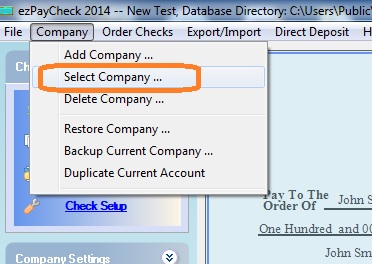
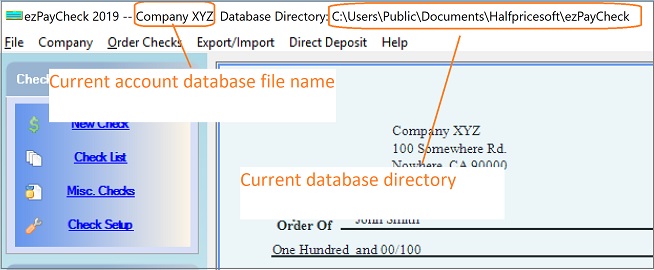
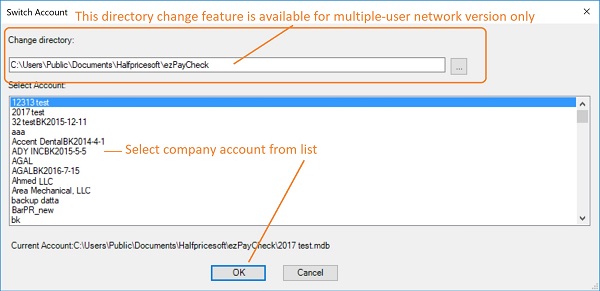
1. Start ezPaycheck, you can switch your current account by clicking the top menu "Company->Select Company". You can always find the current database file name and path from ezPaycheck top menu bar.
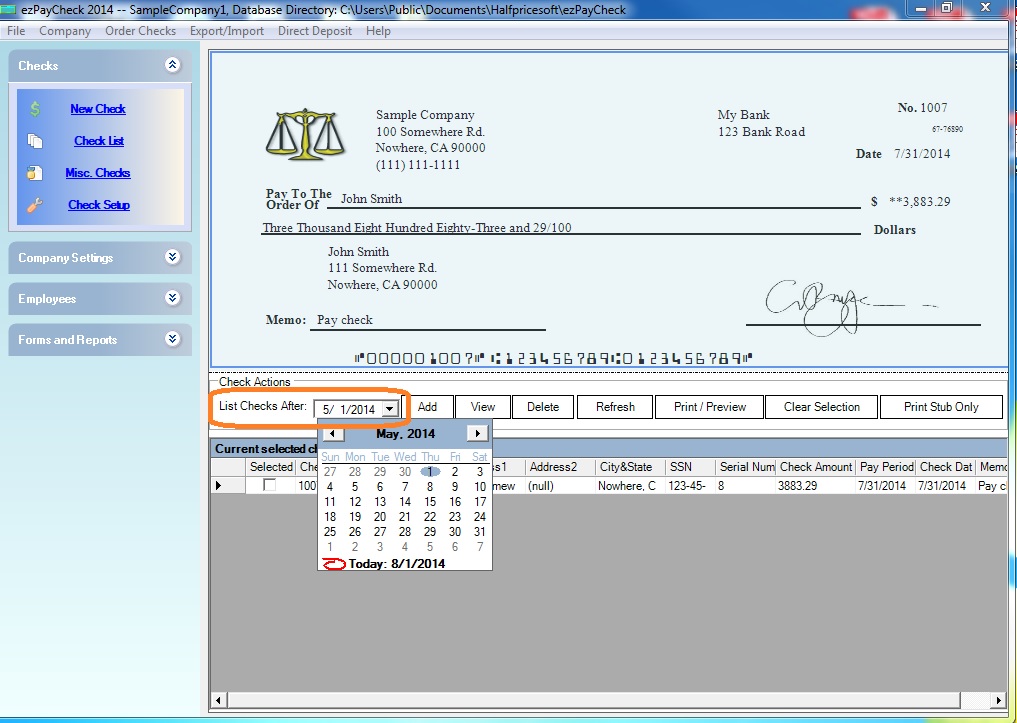
2. After you switch the account, you can change date of
List Checks After field, which is above the paycheck list, to view more data.

From $159
(Regular $189) | ezPaycheck Makes Payroll An Easy, In-House Task!(For Windows and Mac)
- Trusted by Thousands for Two decades.
- Calculate Federal & State Taxes, Print Paychecks, Print W2, W3, 941, 943 and 940.
- User-friendly, Easy-to-use
- No monthly fee.
Switching Payroll? Get ezPaycheck 2026 + 2027 Together & Save
Try it free for 30 days with no obligation. No credit card required.
|
Related Links:
ezPaycheck Quick Start GuideHow a add a new company accountHow to handle both employees and contractorsHow to handle restaurant tipsHow to add a custom deduction and withhold it from each paycheck automaticallyHow to handle local taxesHow to handle State Disability Insurance (SDI)How to print paycheck in different formats: check-on-top, check-in-middle, check-at-bottom or 3-per-pageHow to print paycheck on blank stockHow to print paycheck on pre-printed checksHow to print paycheck with company logoHow to adjust check printing positionSample PaychecksDetermine a Company's Name for e-Filing

